Ideas · iPhone Duo · 21 concepts with their creators
iPhone Duo app ideas: 21 concepts for the foldable iPhone, and the people who made them
Since the iPhone Duo was announced on 9 September, designers and developers have published concepts and working prototypes for it. We collected 21 iPhone Duo app ideas that use what only the Duo has: the second screen, the hinge, the half-open pose or the outer display. Each one has a picture, the name of its creator and a starter prompt you can give an AI agent.
Verified
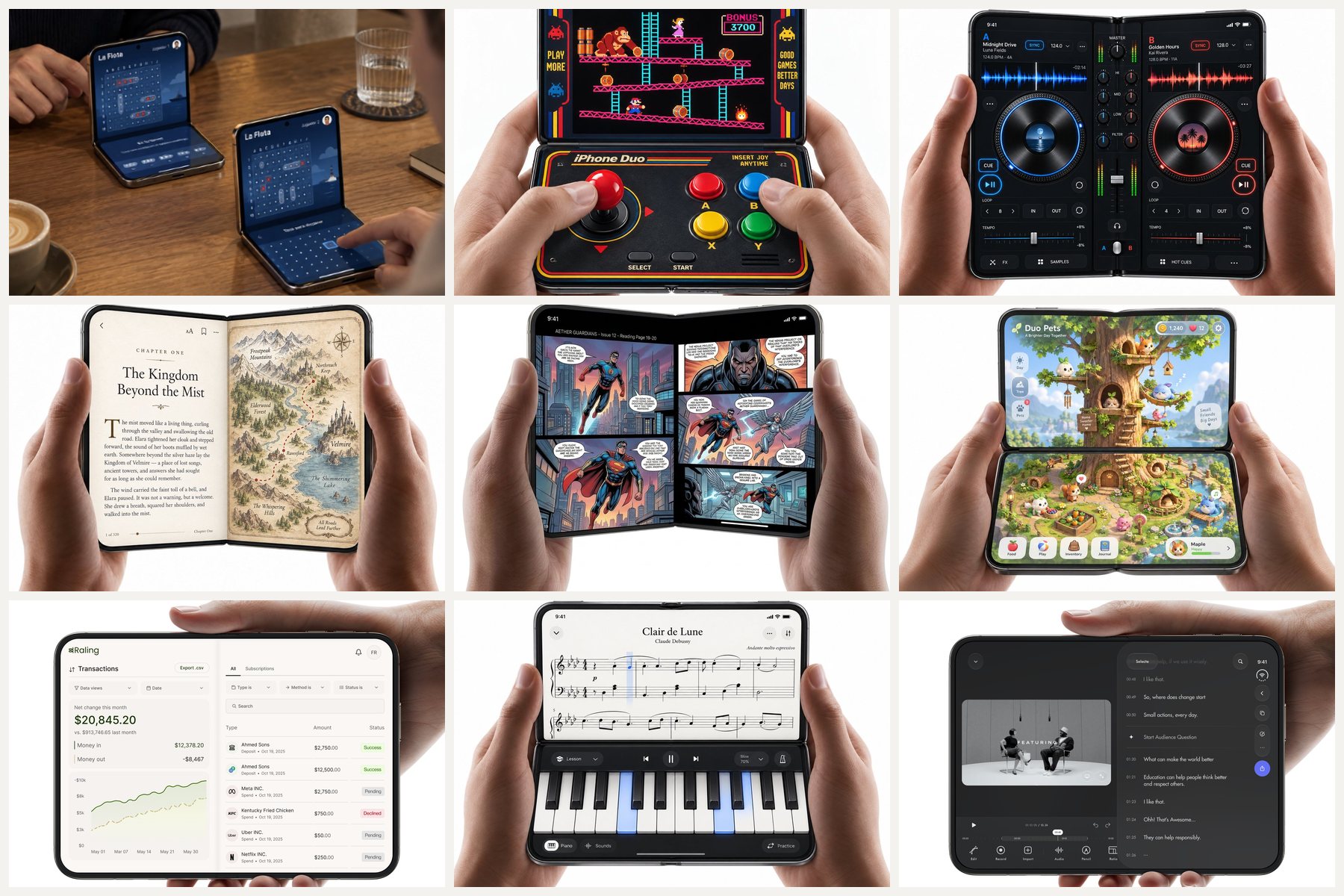
What the iPhone Duo adds to an iPhone: a 5.4-inch outer display and a 7.6-inch inner display; poses (closed, open like a book, half-open on a table, standing); a hinge whose angle and state apps can read from iOS 27.1; Split View with two apps side by side; StandBy on either display without a charger; and stylus support later this year. The Duo goes on sale on 23 October.
Every idea below uses at least one of these. The ideas are grouped into five sets: games, music, reading and learning, camera and video, and everyday and work apps. Each has four parts: what it does, the Duo feature it depends on, who made it, and a starter prompt written as the first lines of a PRD. The PRD prompt turns a starter prompt into a full one-page document.
iPhone Duo game ideas: fold to play, two players, a controller on the lower half
1. Foldy Bird: flap by folding
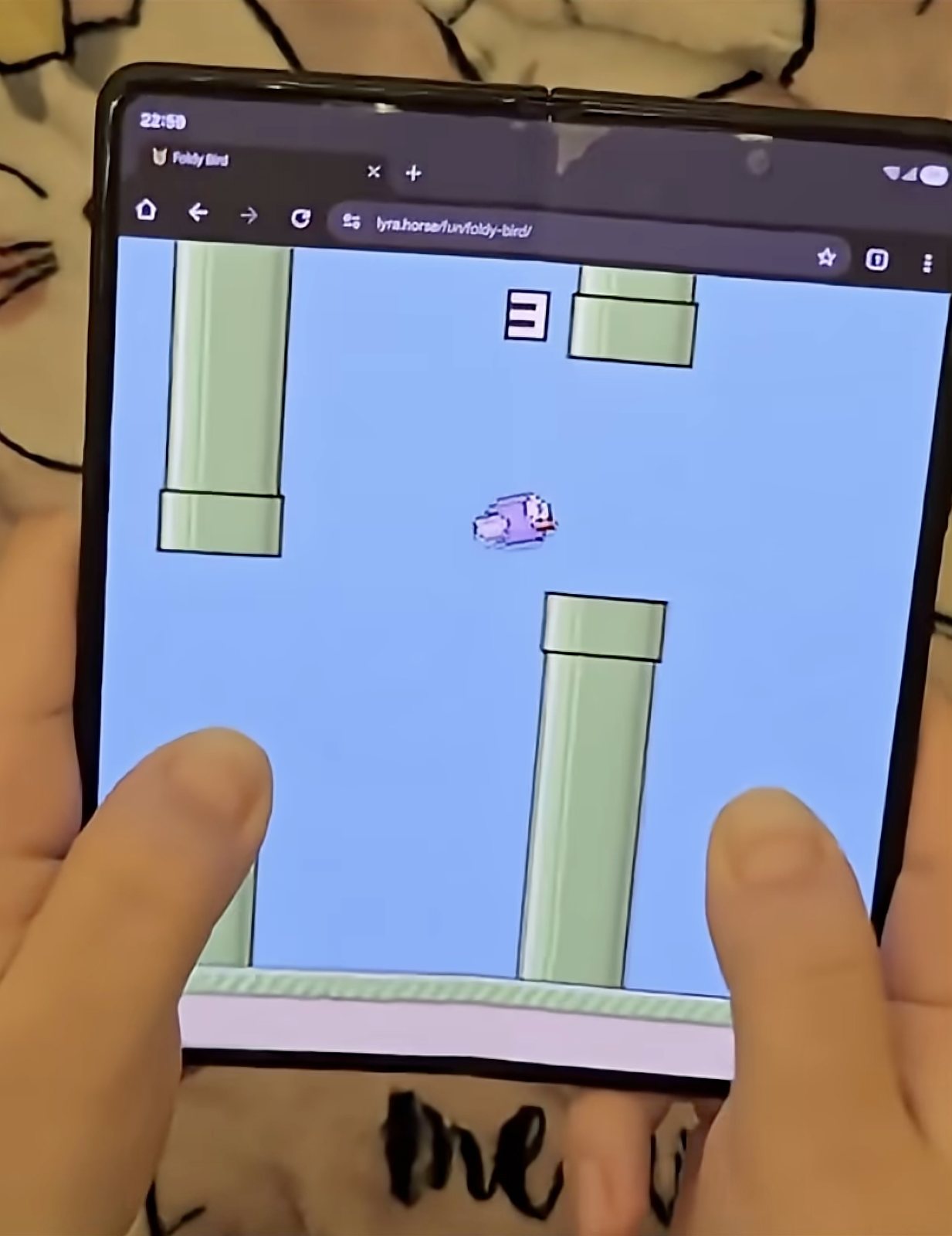
A flappy-bird game with no tap: you snap the phone open to make the bird flap, then fold it back a little for the next flap. Duo feature: the hinge angle as the controller. Created by Lyra Rebane, who released it in January 2026 as a web game for foldables in Chrome. On the Duo the same mechanic reads the hinge angle; developer Artem Novichkov published an open-source native version.
Starter prompt: "A one-button arcade game where the button is the hinge: each quick unfold is one flap, folding back 5° re-arms it. On phones without a hinge, a tap does the same."
2. Naval battle game for two Duos on one table
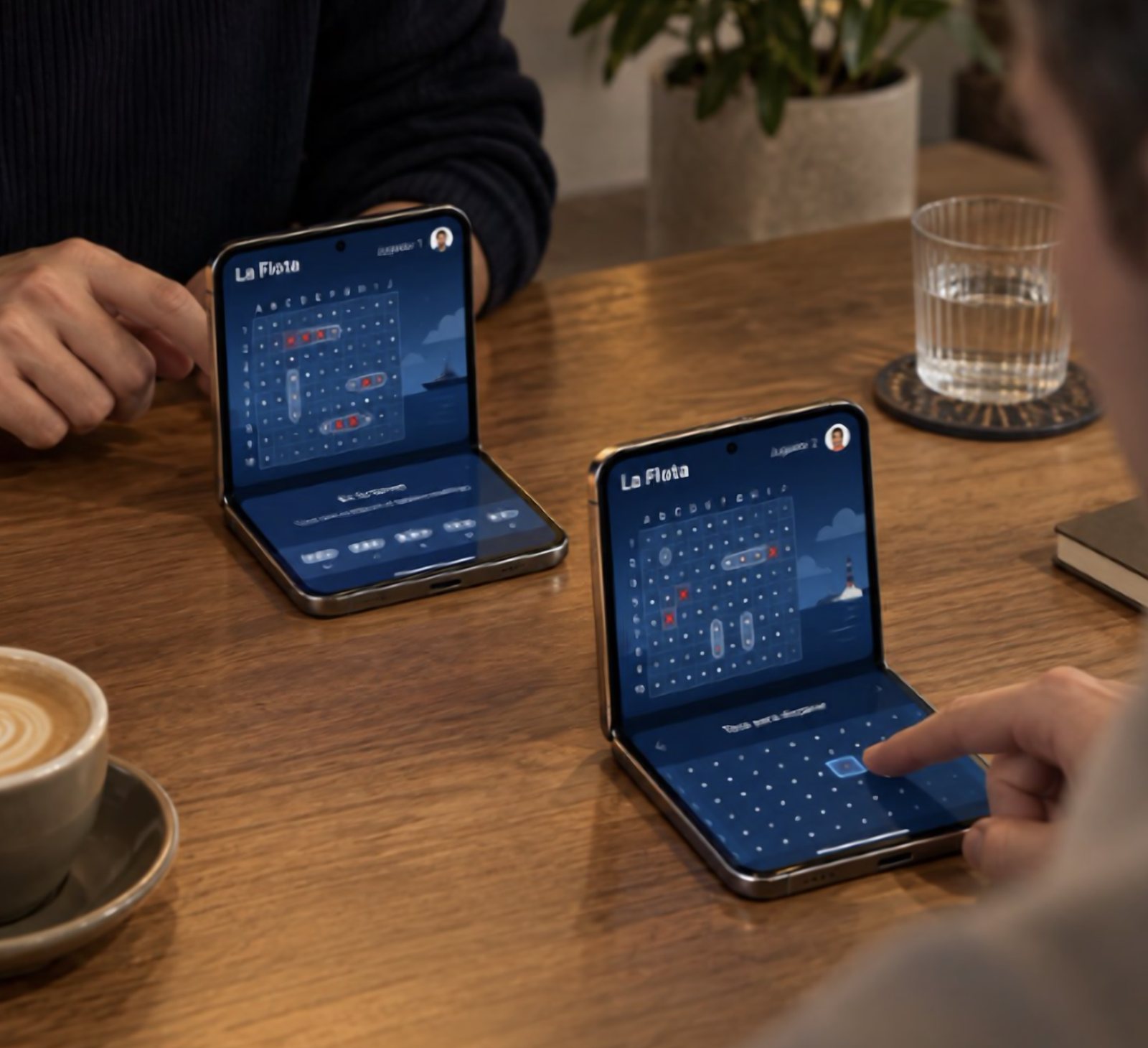
Two players sit across a table, each with a half-open Duo: the fleet on the upright half, the targeting grid on the flat half, like the board game Battleship. Duo feature: the half-open pose, which hides each player's screen from the other. Created by Omar (@NSStudent), an iOS developer.
Starter prompt: "A two-player naval battle game over local network. Half-open: my fleet on the top half, my shots grid on the bottom half. Fully open: both grids side by side for solo play against the computer."
3. Mini arcade cabinet
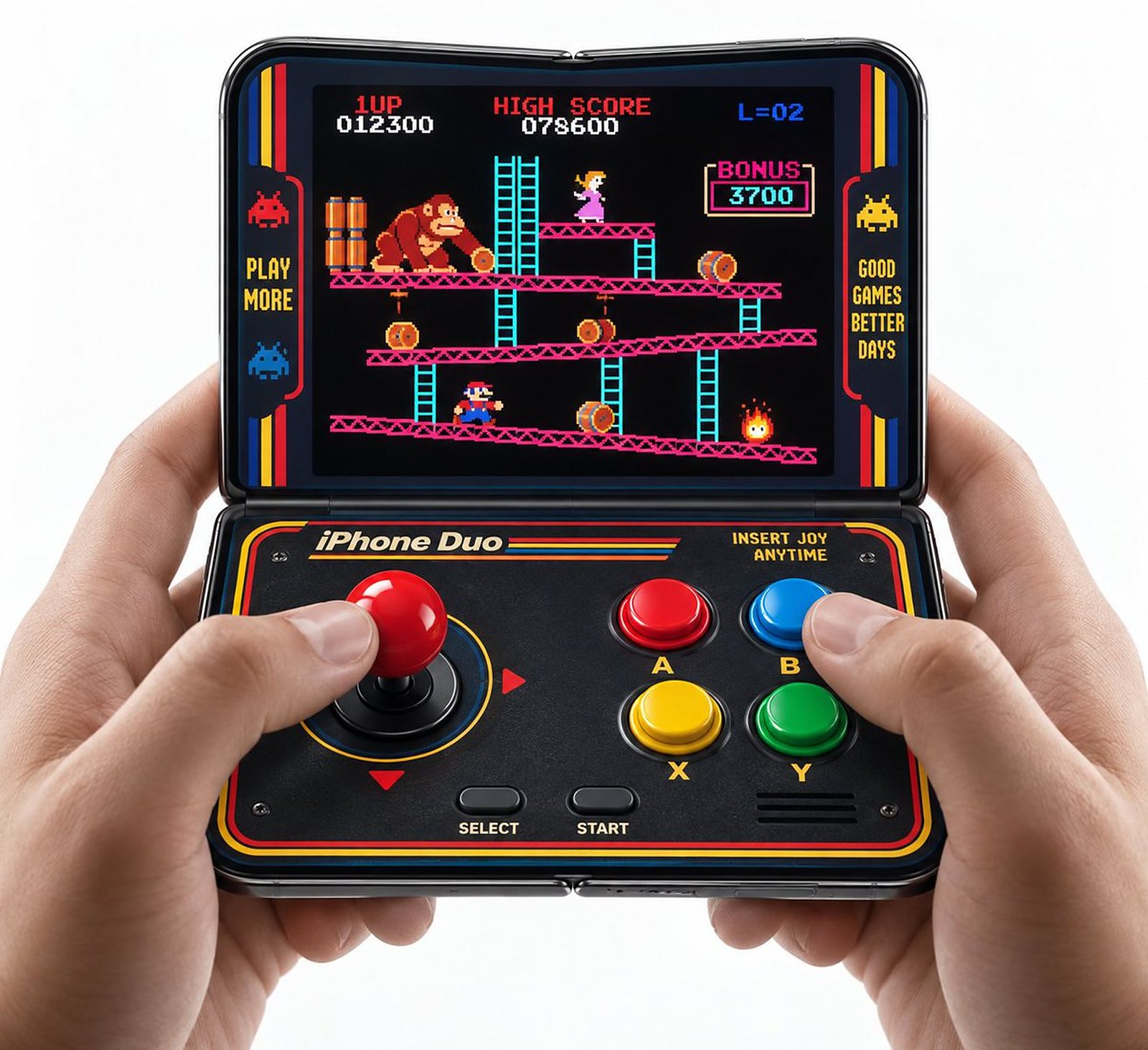
The game on the upper half, a joystick and four big buttons on the lower half, held like a pocket arcade cabinet. Duo feature: the half-open pose, with the lower half as a touch controller. Created by Josh Dance, who notes the trade-off himself: you lose the two-player cabinet.
Starter prompt: "An arcade game collection. Half-open: the game on the top half, a joystick and four buttons on the bottom half, with haptics on each press. Open flat: the game full screen with on-screen controls at the edges."
4. Retro handheld emulator
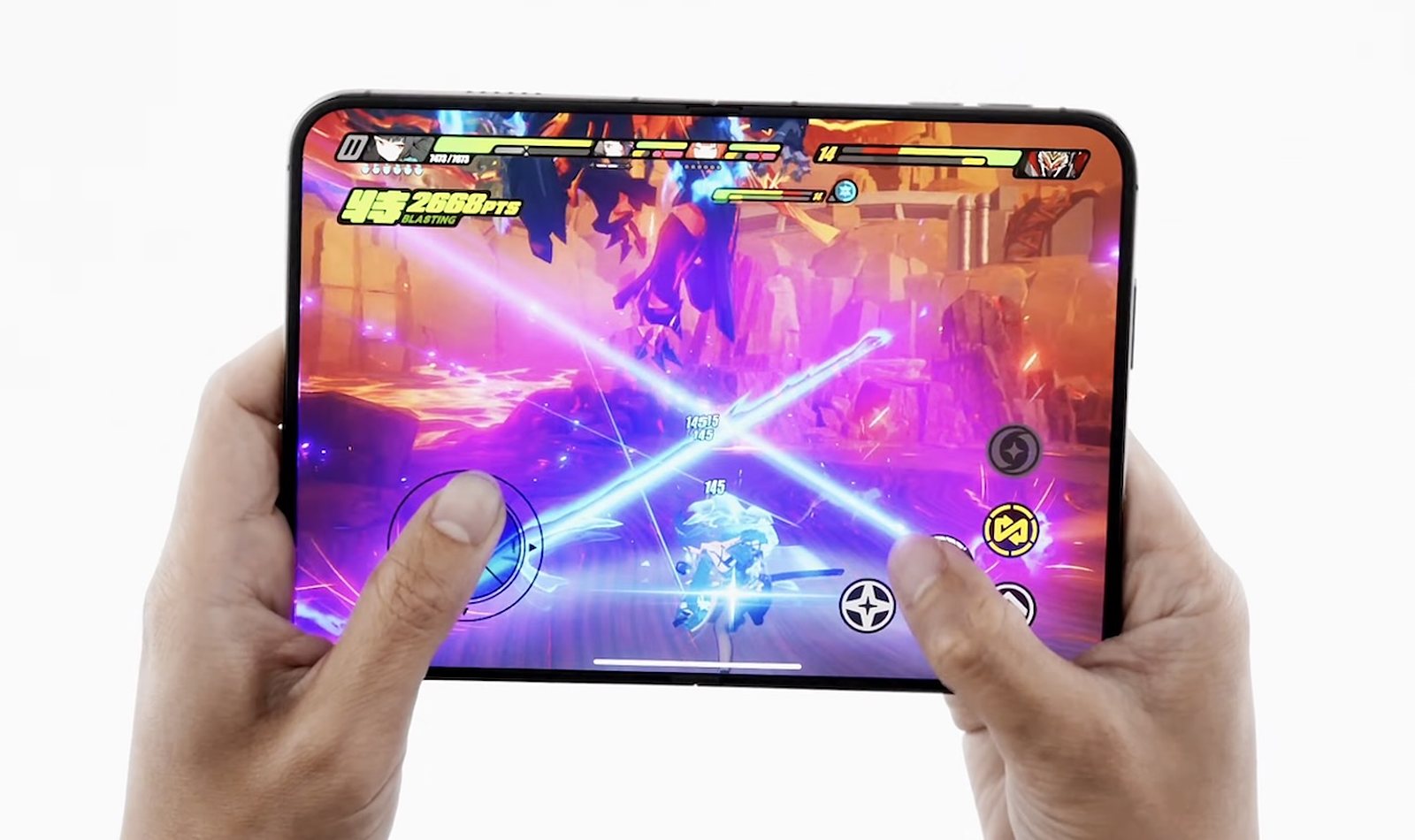
Older console games on the wide inner display, with touch controls on the lower half or a Bluetooth controller. Duo feature: the 7.6-inch inner display and the half-open pose. Created by Rei Padla, who described the Duo as a retro handheld; Josh Dance proposed the same for Game Boy Advance titles and says the fold would make them feel right.
Starter prompt: "A game launcher for homebrew and public-domain retro games. Half-open: game on the top half, D-pad and buttons on the bottom half. Detect a paired controller and give the game the whole inner display."
5. Console game with the controller on the lower half
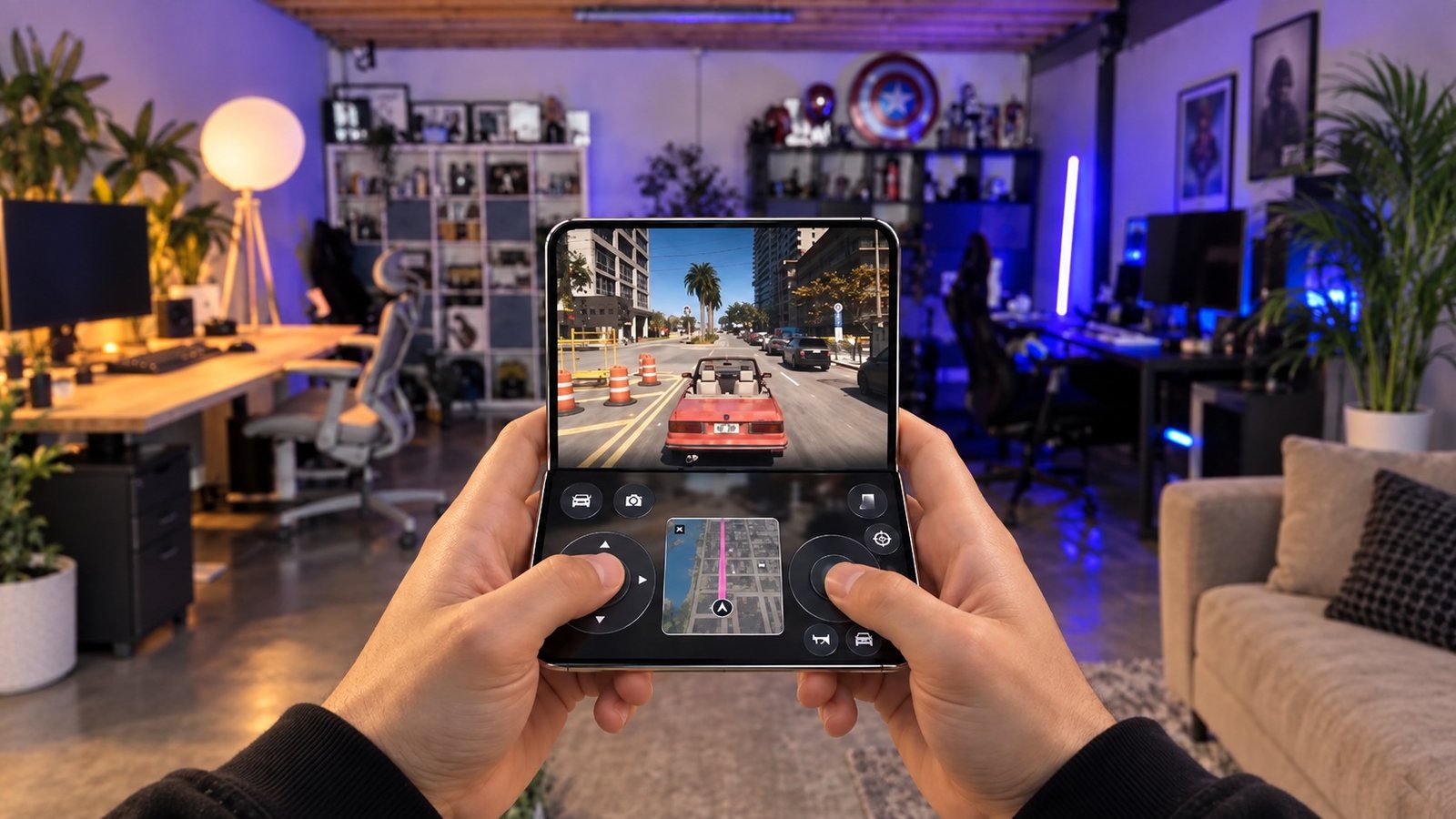
A big console-style game plays on the upper half; the lower half carries the virtual sticks, the action buttons and the minimap, so your thumbs never cover the picture. Duo feature: the half-open pose in landscape. Created by concept designer Ben Geskin, whose video shows GTA 6 laid out this way.
Starter prompt: "A racing game in landscape. Half-open: the race on the top half; steering, throttle, brake and the track map on the bottom half. Fully open: the race on the whole display with controls at the edges."
6. Party games where each player sees a different screen
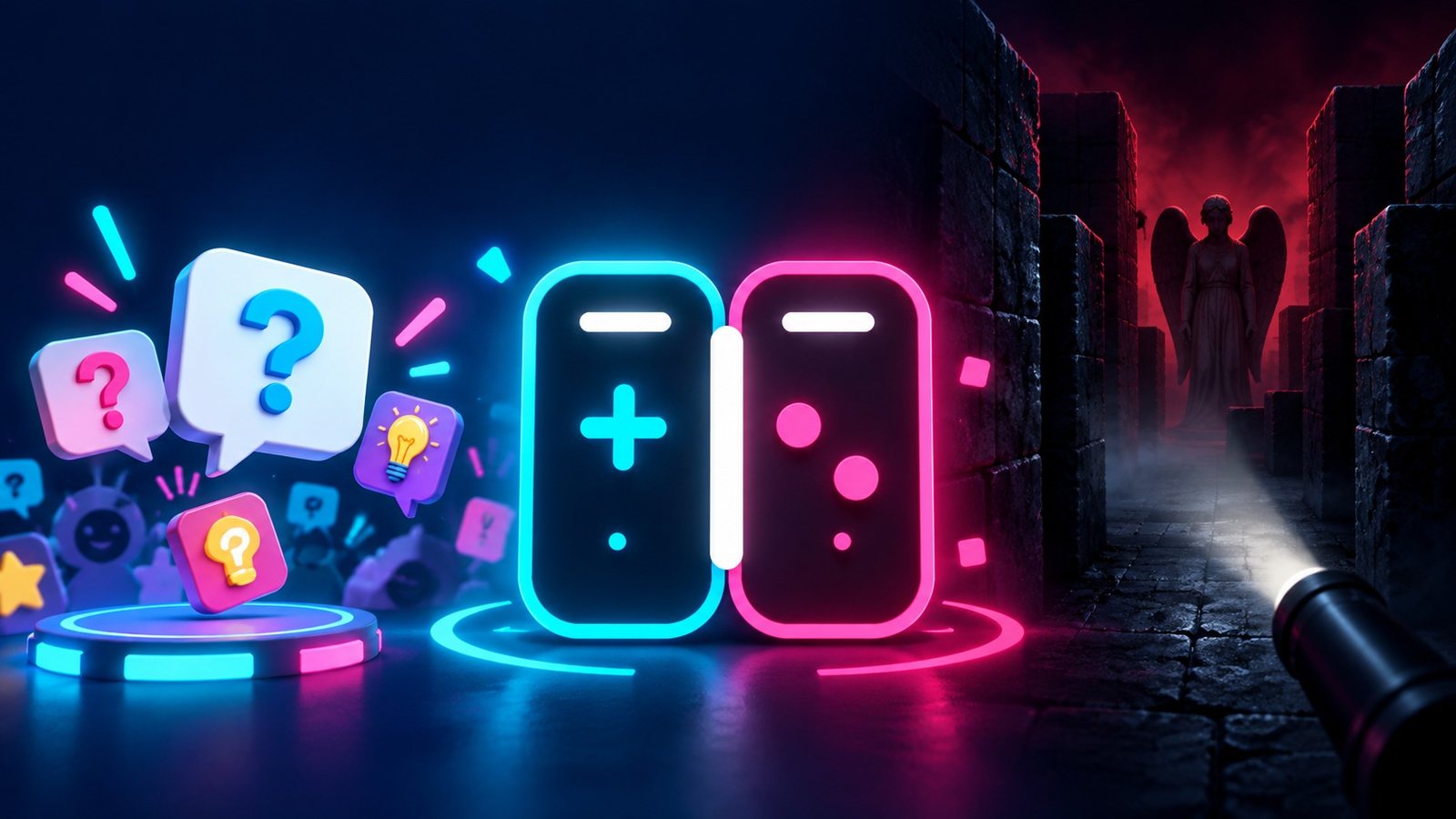
A multiplayer hub where folding, hinging and turning the phone decide which player sees which screen, for example the folded side for player 2 and the unfolded side for player 1. Two people share one device and see different information, which makes hidden-information games possible. Duo feature: the outer and inner displays facing different people. Created by Raina Zab and Rami Hayani, who built it as Duo Arcade at a hackathon in San Francisco on 26 September.
Starter prompt: "A party game for two on one phone. Player 1 holds the phone open and sees the inner display; player 2 sees the outer display. Each round, one player gets a secret word only their screen shows."
7. Virtual pet habitat that climbs between the screens
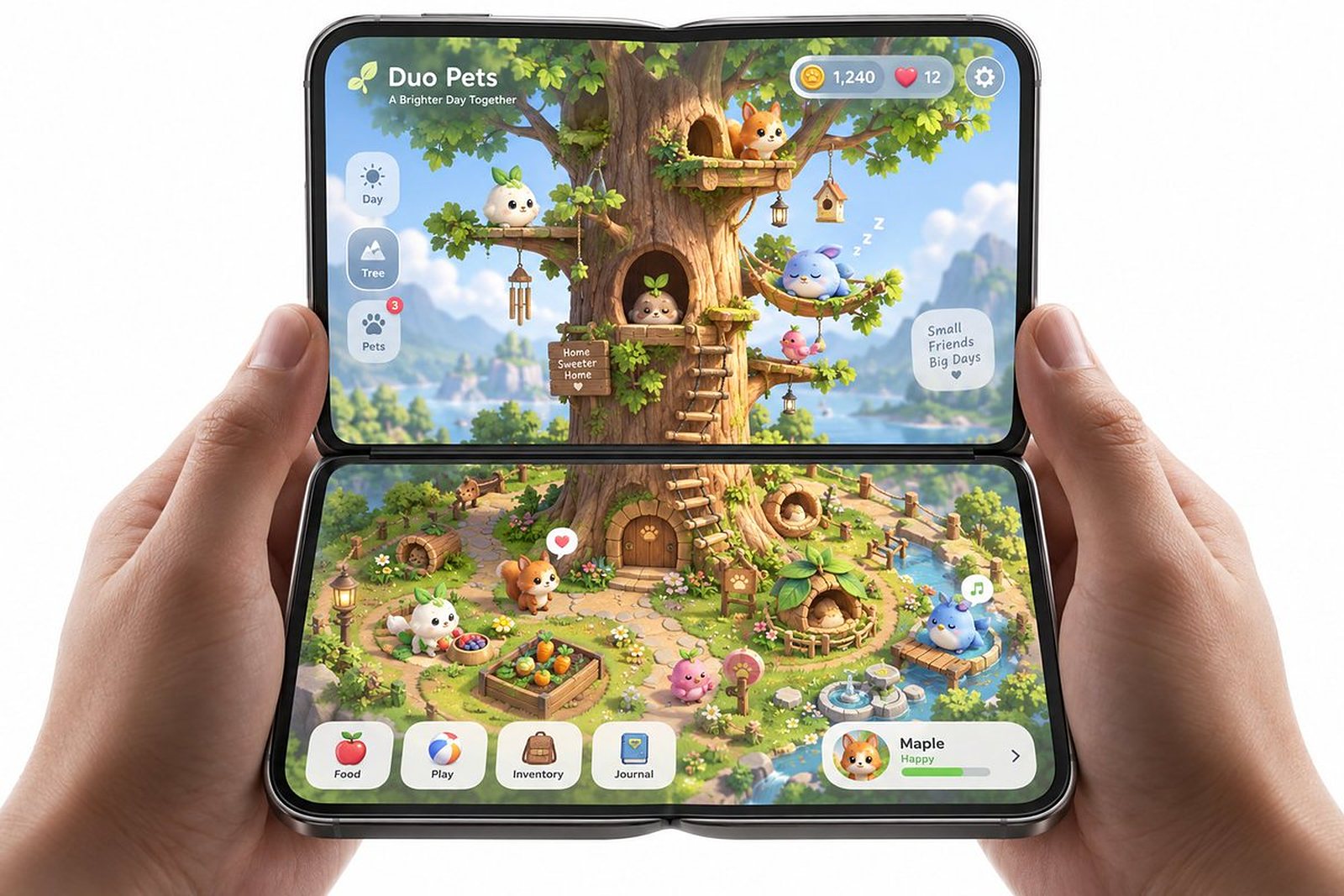
The flat lower half is an overhead garden, the upright upper half is a side-scrolling tree, and pets climb from one view into the other. Duo feature: two screens at an angle to each other, used as two camera views of one world. Created by Josh Dance, who calls this the category he finds most interesting.
Starter prompt: "A virtual pet game. Half-open: top-down garden on the bottom half, side view of a tree house on the top half; pets walk off the garden and climb into the tree. Folded: a pet status card."
Music app ideas: two decks, a piano, the hinge as a crossfader
8. DJ app with one turntable per side
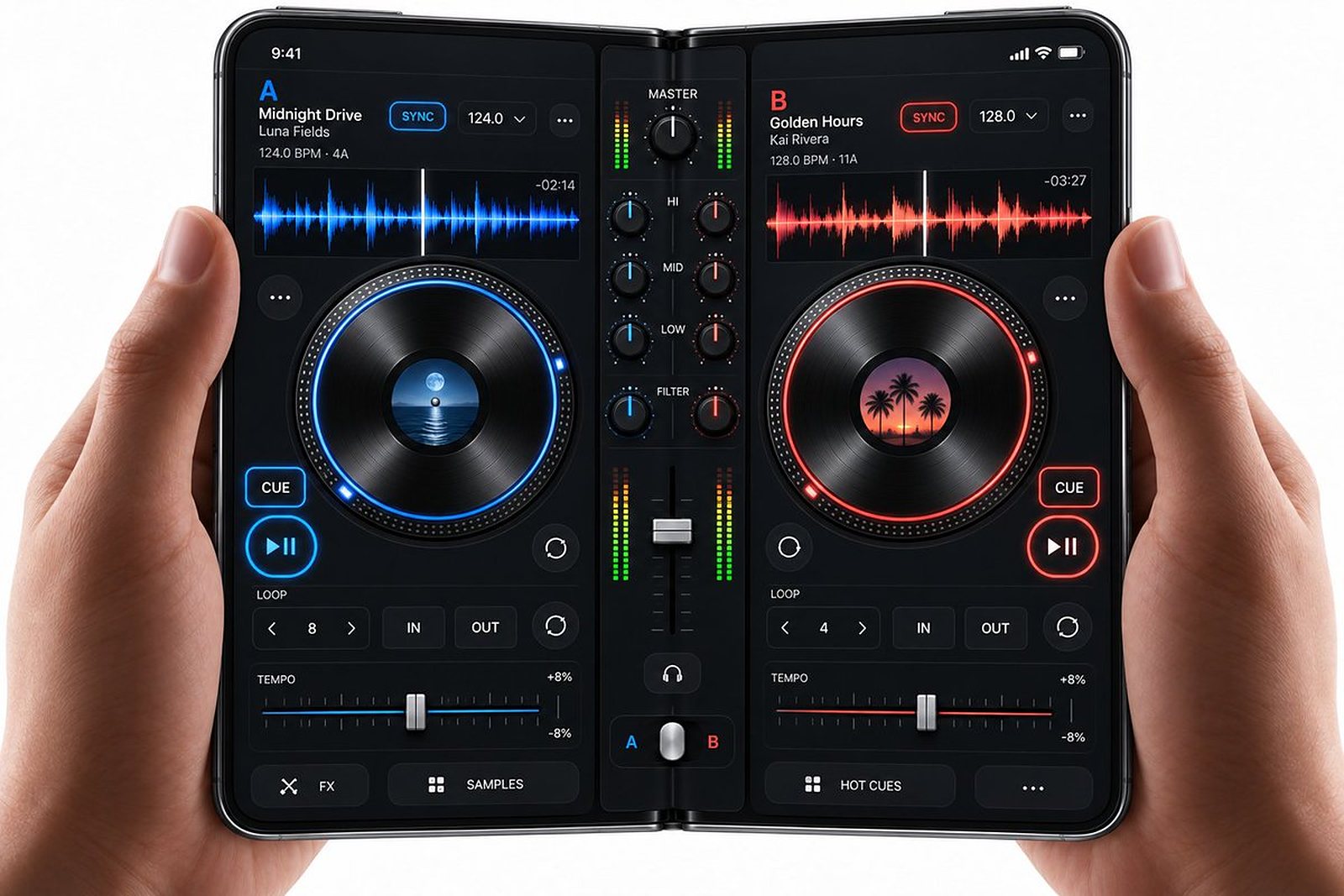
Each half of the open Duo is a deck with its own waveform, jog wheel and cue buttons; the mixer sits on the fold. Duo feature: two panes, open flat. Created by Josh Dance.
Starter prompt: "A two-deck DJ app. Open flat: deck A on the left half, deck B on the right, each with waveform, jog wheel, cue and play; crossfader and EQ in the middle. Folded: one deck and a track list."
9. DJ deck you play by folding
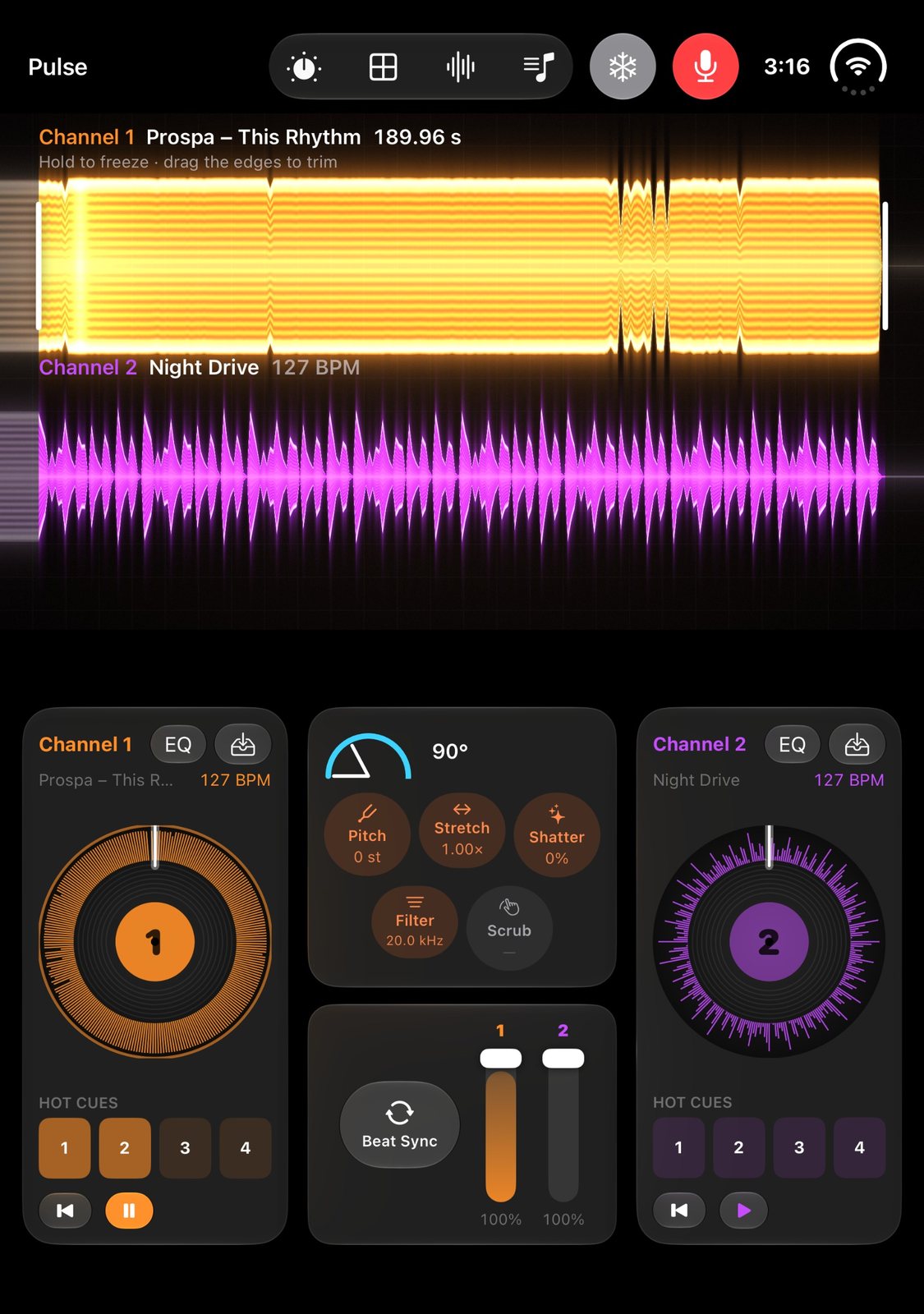
A pocket DJ deck and sampler: in laptop pose the waveforms sit on one half and the pads and controls on the other, and the fold angle controls pitch and filter effects. Duo feature: the hinge angle as a continuous control. Created by Evan Taylor, Rishi Thakkar and Dakshesh Pasala, who built it as Pulse at a hackathon in San Francisco on 26 September.
Starter prompt: "A sampler and mixer where the hinge angle drives the selected effect: 180° is dry, 90° is full filter. Half-open: waveforms on the top half, pads and effect choice on the bottom half."
10. Sheet music on top, piano below
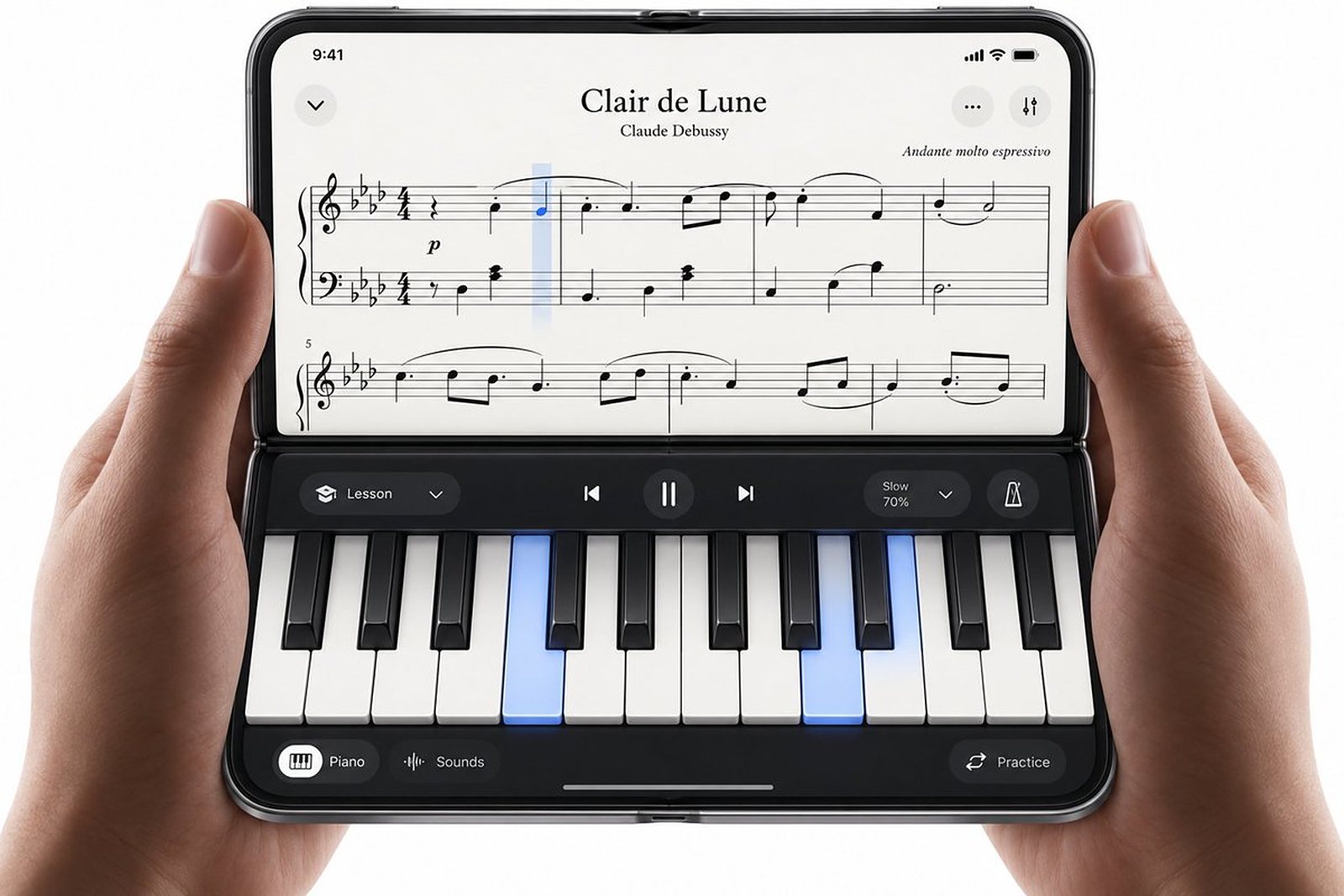
The score on the upright half, a playable keyboard on the flat half, with the current bar highlighted as you play. Duo feature: the half-open pose, the same shape as a piano with a music stand. Created by Josh Dance.
Starter prompt: "A piano practice app. Half-open: sheet music on the top half with the current bar highlighted, a two-octave keyboard on the bottom half. The score follows the notes played on the keyboard or a MIDI keyboard."
Reading and learning app ideas: the page and what goes with it
11. E-book with the map beside the story
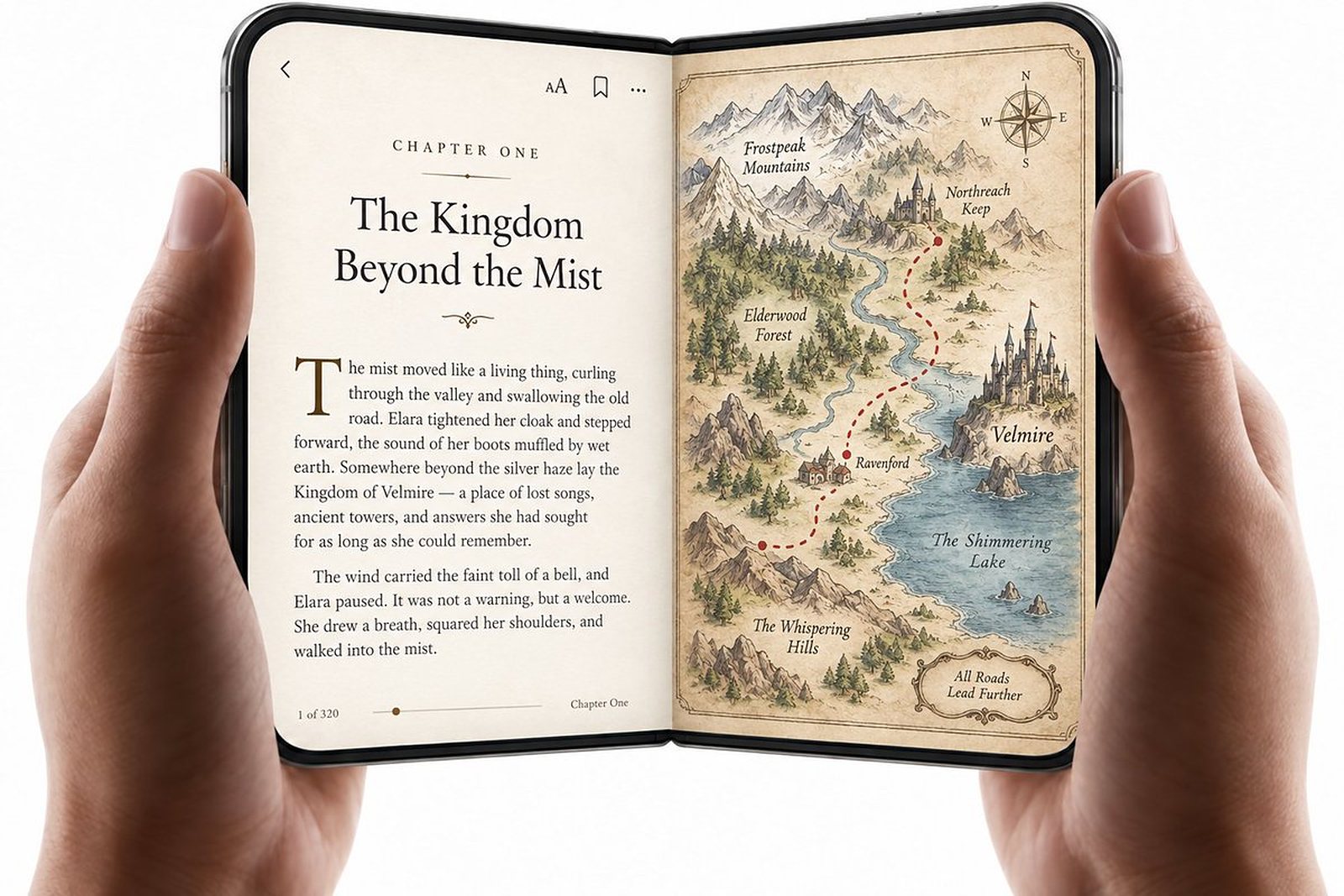
The text on one pane, a map or the illustrations on the other, and the map can show where the characters are in the current chapter. Duo feature: two panes, held like a book. Created by Josh Dance, who used to print maps of the books he read and annotate the journeys by hand.
Starter prompt: "An e-book reader. Open: the text on the left pane, the book's map on the right with the current chapter's locations marked. Folded: text only, map one tap away."
12. Comic book reader
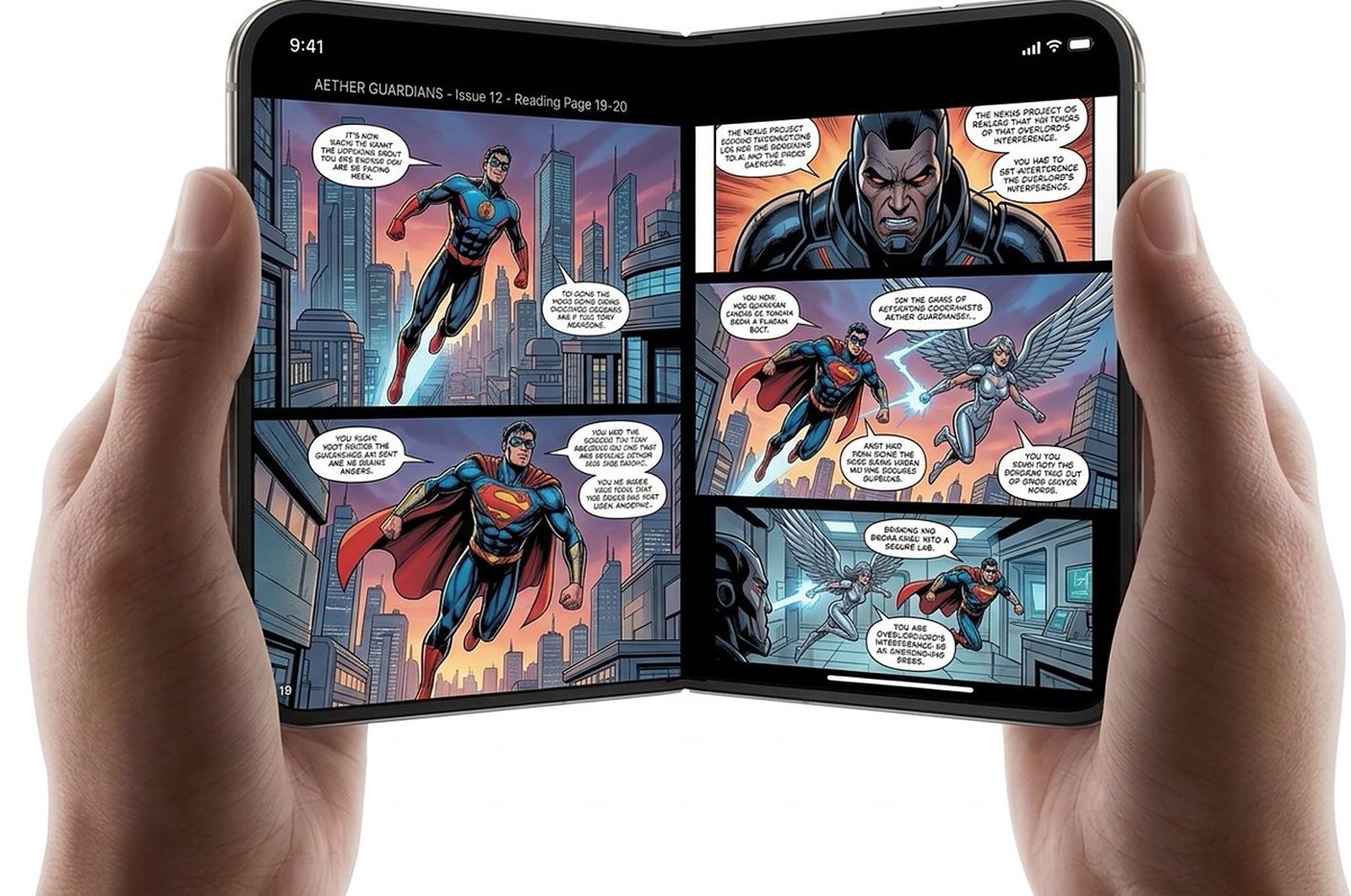
Comics as two-page spreads, the way they were drawn, with panel-by-panel zoom when folded. Duo feature: the inner display's two-page shape. Created by Josh Dance; several readers suggested it in replies to his first post.
Starter prompt: "A comic reader. Open: a two-page spread. Folded: one page with panel-by-panel navigation. Remembers the page per issue and syncs between devices."
13. Learn to draw: the reference on one side, the canvas on the other
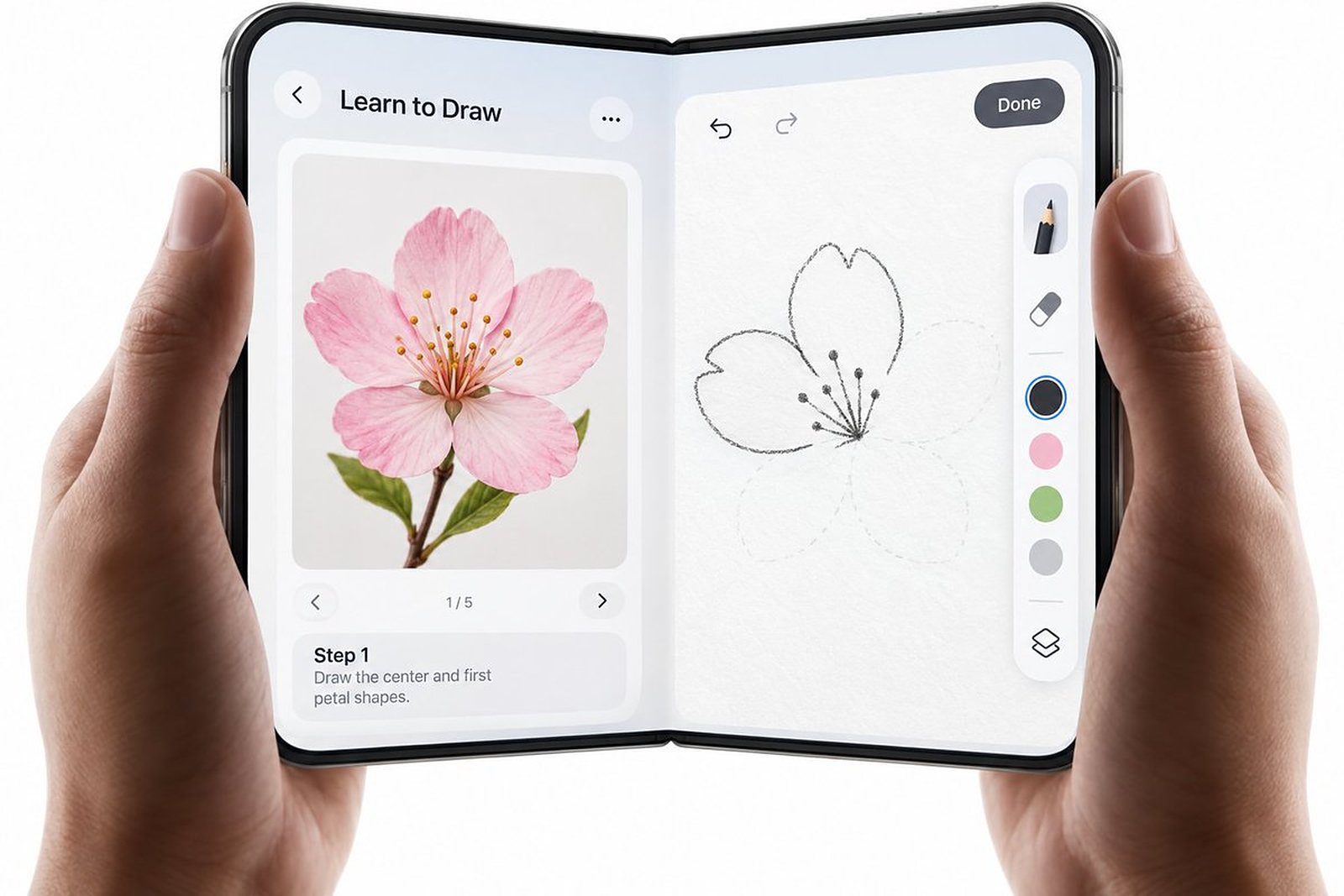
A drawing course where the reference picture and the current step stay on the left pane while you draw on the right, like a sketchbook with a printed page beside it. Duo feature: two panes and stylus support, which arrives later this year. Created by Josh Dance.
Starter prompt: "A learn-to-draw app. Open: the reference image and step-by-step instructions on the left pane, a drawing canvas on the right. Steps advance when the learner taps Next. Folded: the lesson list."
14. Two-pane notes: the page and your ideas next to it
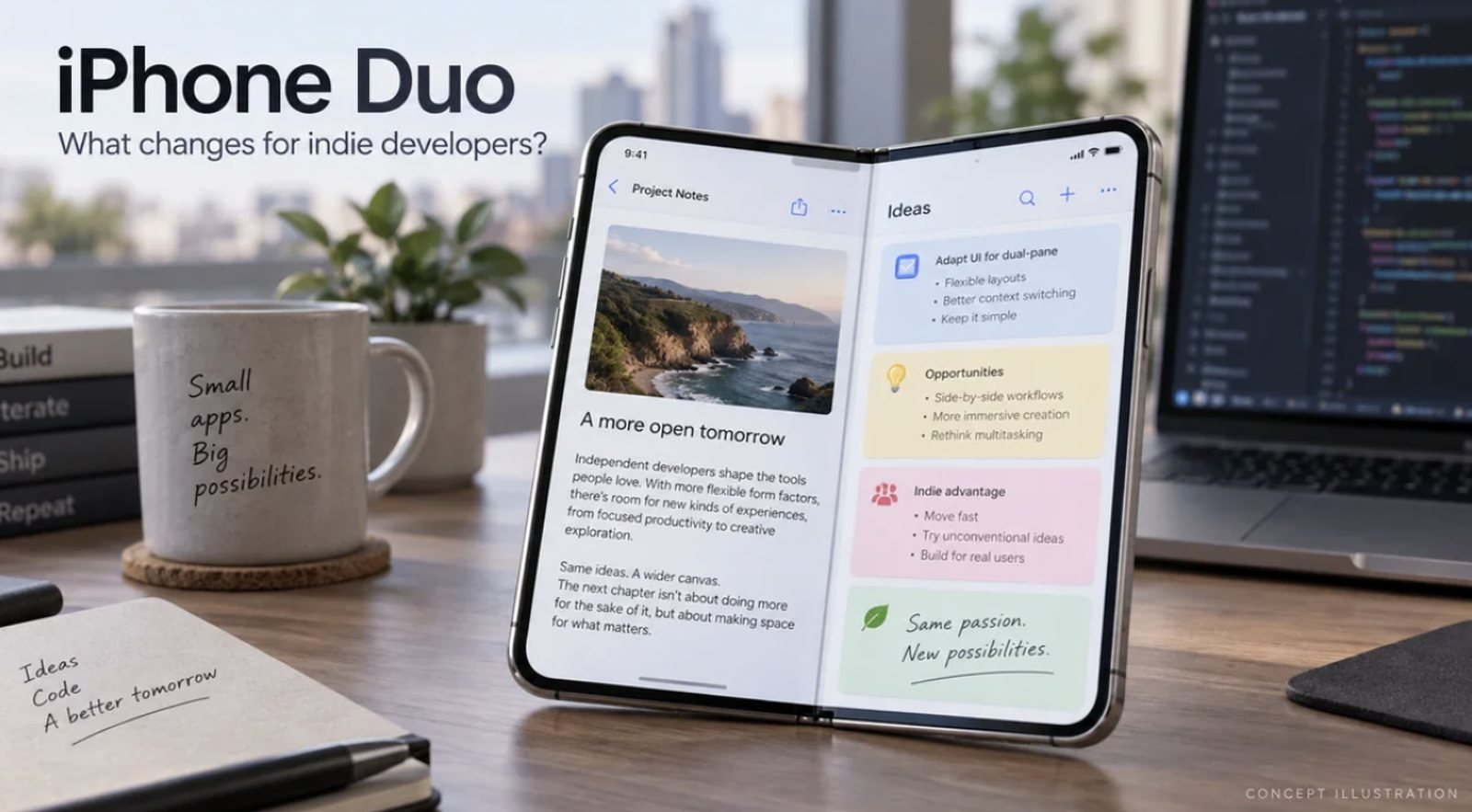
Notes on one pane and a board of idea cards on the other, so you write while the ideas stay in view. Duo feature: two panes. Created by LunbertHe, an indie iOS developer, who asked other foldable users which apps would make the Duo worth it and listed three of his own: manga with the translation alongside, a recipe without scrolling back to the ingredients, and recording a video with the script beside the preview.
Starter prompt: "A notes app. Open: the note on the left pane, a board of idea cards on the right; drag a card into the note to insert it. Folded: the note only."
Camera and video app ideas: the outer display faces the other person
15. Smile cue for kids
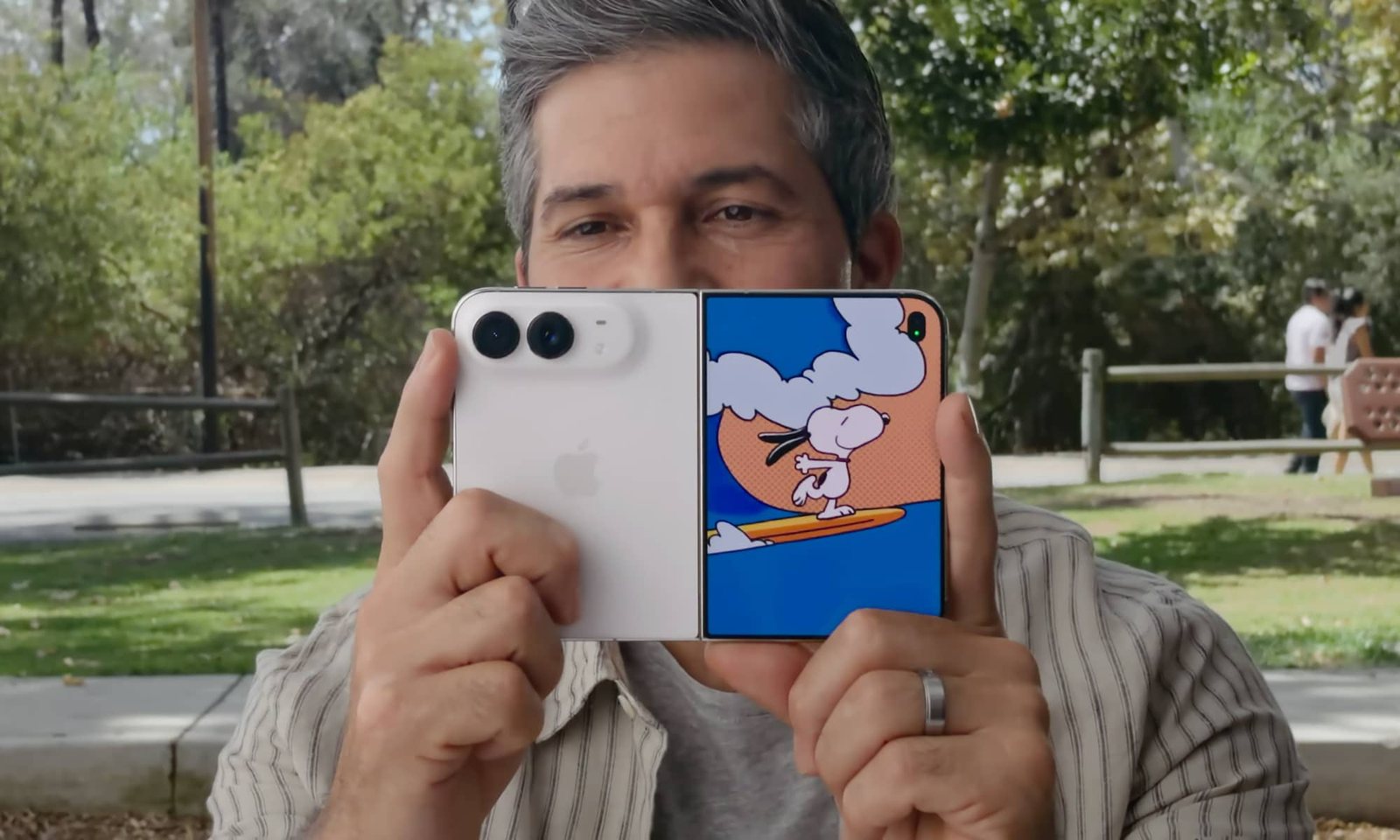
While you take a photo with the rear cameras, the outer display faces the subject and plays a short animation so a small child looks at the lens and smiles. Duo feature: the outer display, facing the person being photographed. Created by developer macduke, who was prototyping it as SmileCue before launch; the Duo's own camera now includes a version of it.
Starter prompt: "A camera app for photos of children. While the rear camera is active, the outer display plays a 3-second animation chosen from a set; the shutter fires when the child's face looks at the camera."
16. Video player with a live transcript
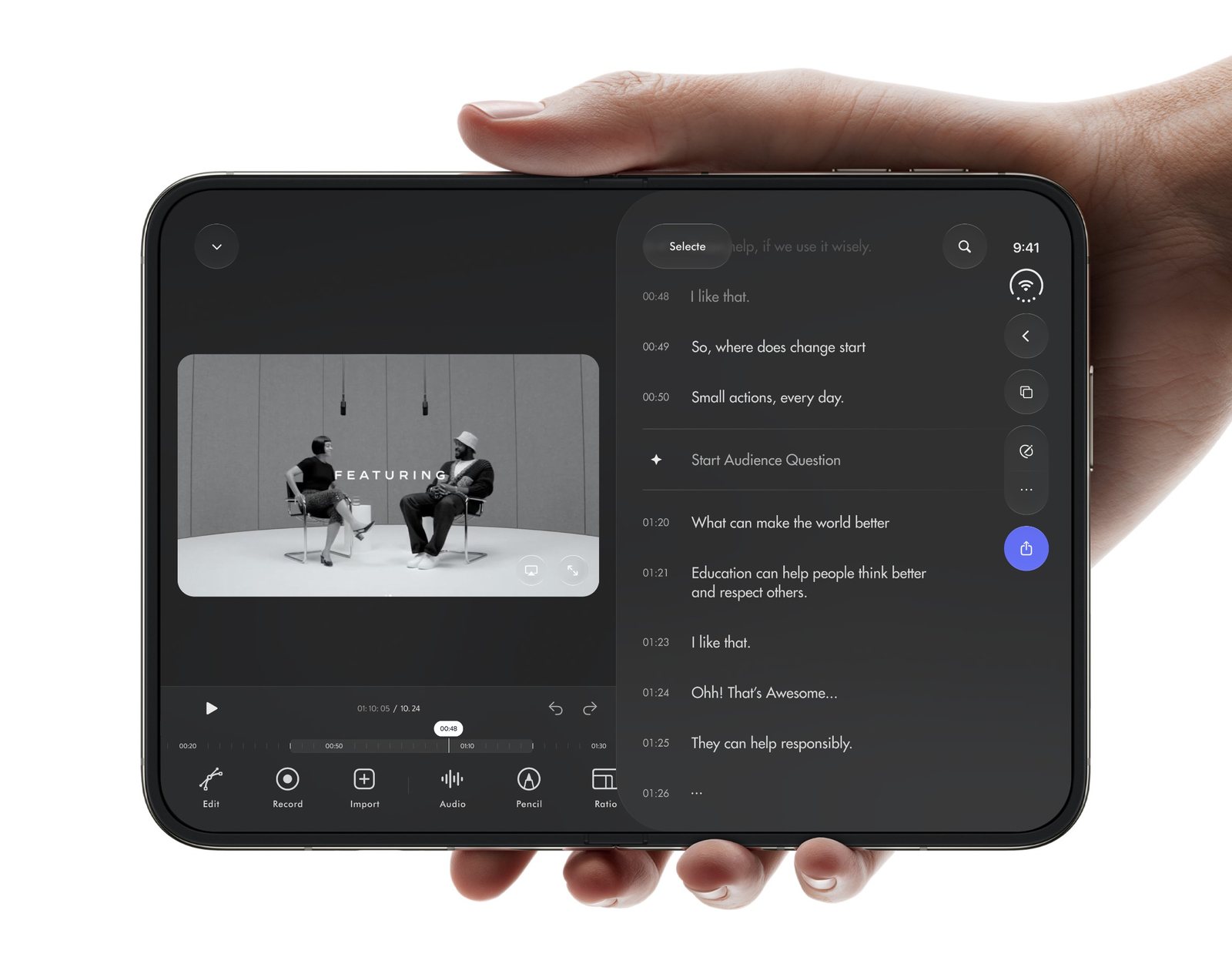
The video on one side, a timestamped transcript on the other; tap a line to jump to that moment, and a button starts an audience question. Tools for recording, importing, audio and pencil notes sit along the bottom. Duo feature: two panes in landscape. Created by designer Kawsar Ahmed.
Starter prompt: "A video and podcast player. Open in landscape: the video on the left, the live transcript on the right; tapping a line seeks to it; highlights save as notes. Folded: audio-first player with the current line."
17. Video editor with a transcript panel
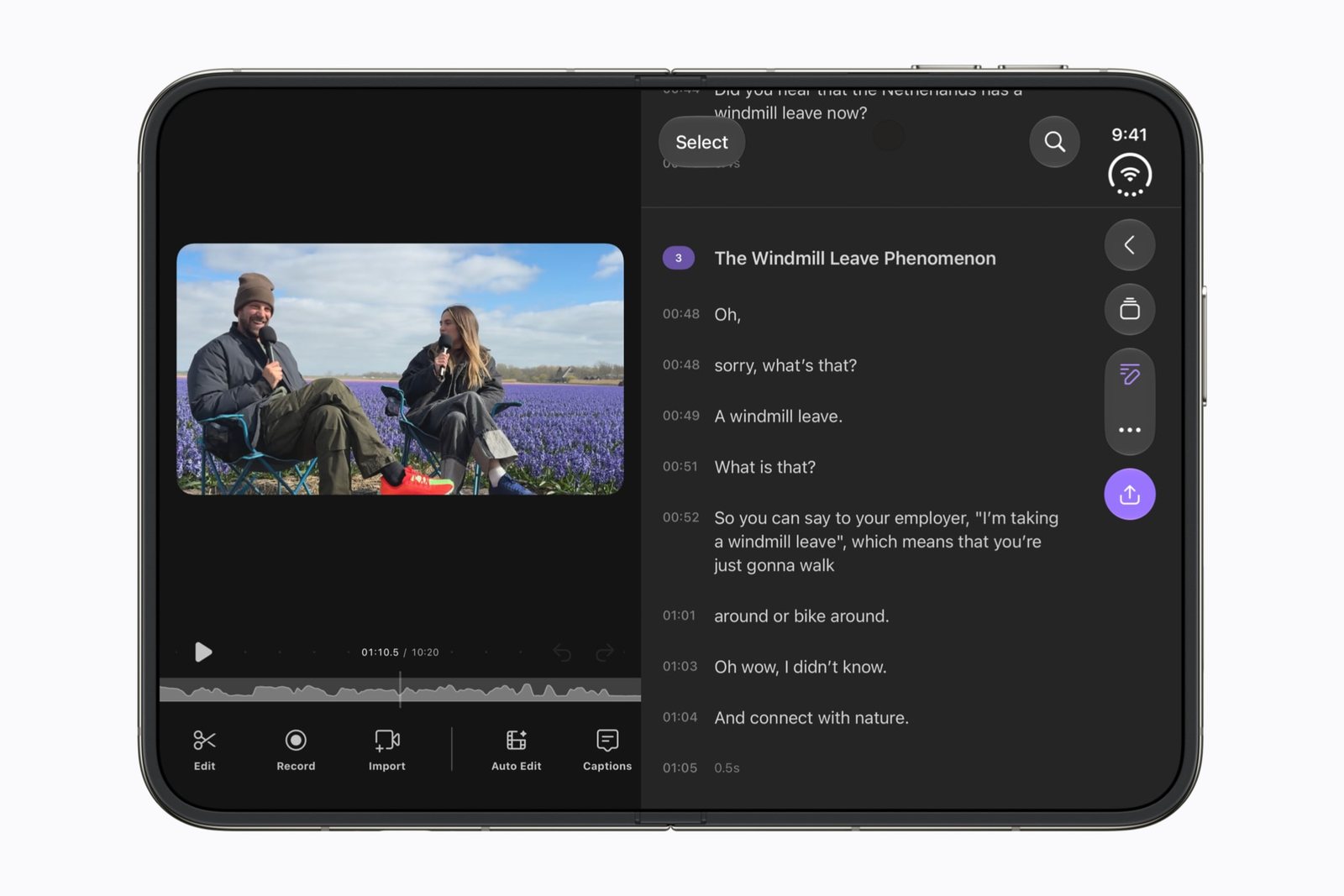
A video editor that uses the large inner display: the preview on one pane, a transcript panel on the other, with its AI models running on the phone. Duo feature: two panes on the inner display.
Starter prompt: "A video editor for talking-head clips. Open: preview on the left pane, the transcript on the right; deleting words cuts the video; captions export with the clip. Folded: record and trim only."
Everyday and work app ideas: two panes instead of switching
18. Finance dashboard: the chart and the transactions together
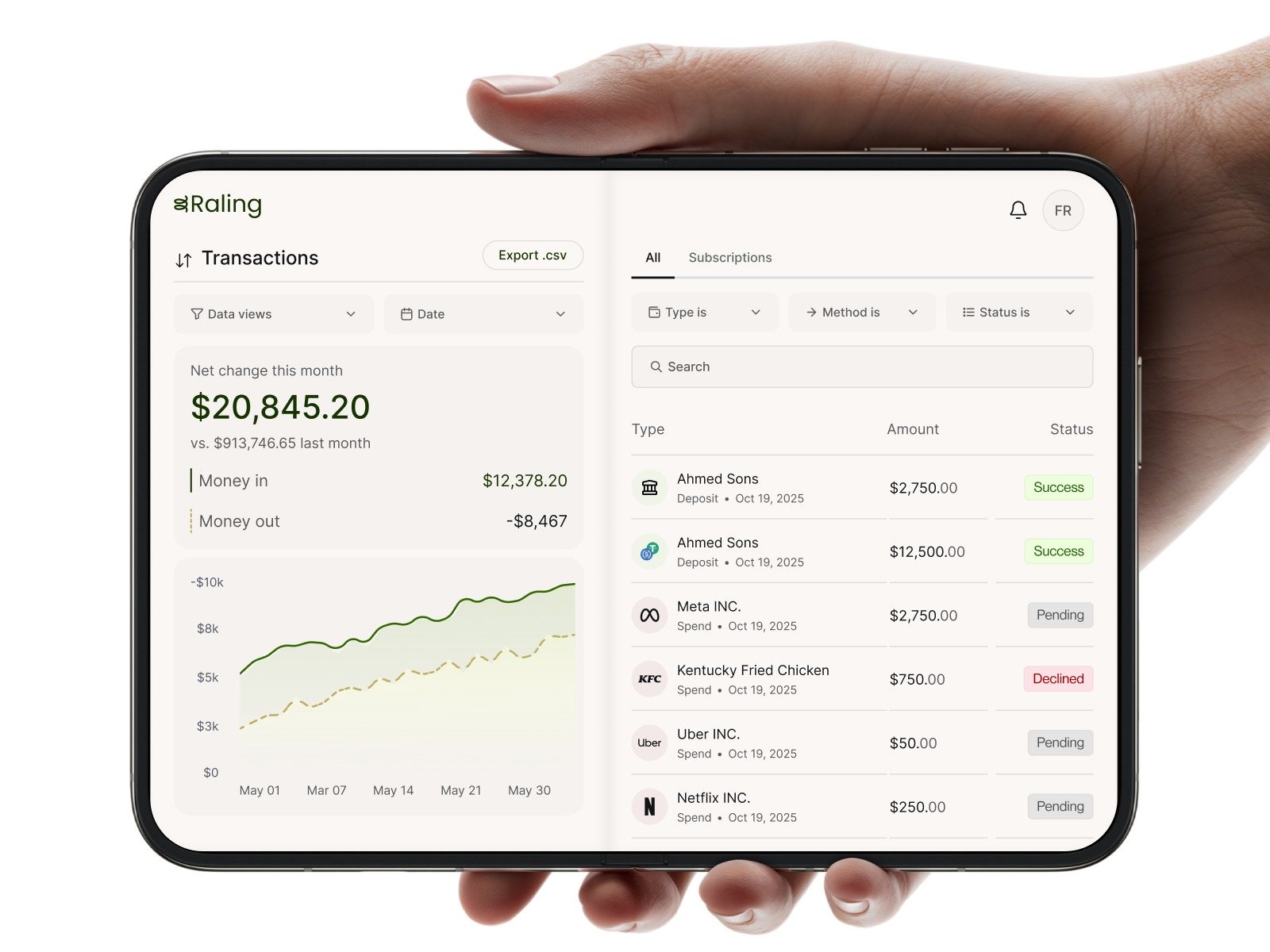
Net change for the month and its chart on the left pane, the transactions with amounts and statuses on the right; filter one and the other follows. Duo feature: two panes. Created by designer Faizan Rajput, using his Raling finance app design.
Starter prompt: "A personal finance app. Open: this month's net change and chart on the left pane, the transactions list on the right with filters for type, method and status. Folded: balance and the last five transactions."
19. Travel planner
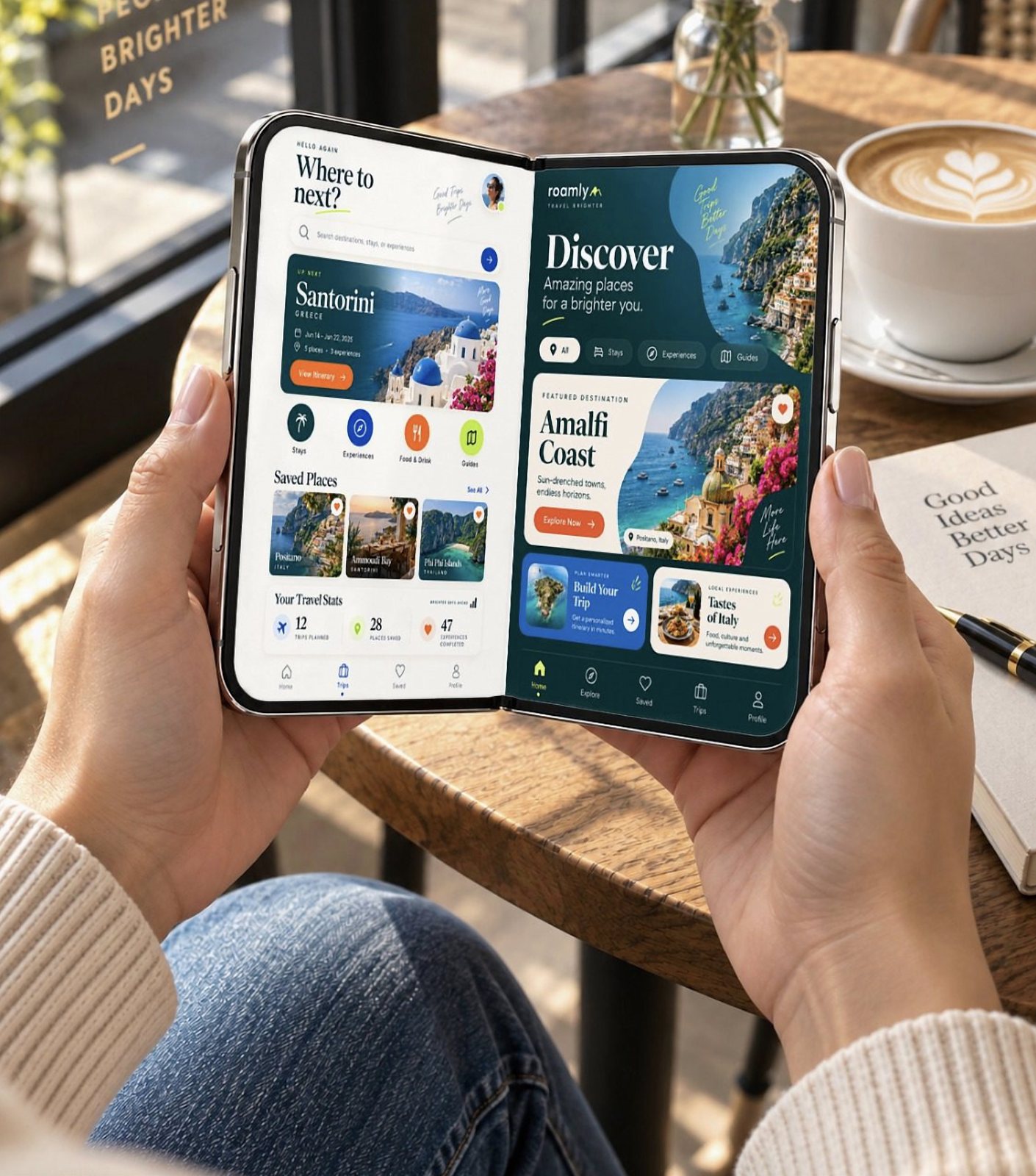
Your trips, saved places and travel stats on one pane, destinations to discover on the other. Duo feature: two panes, held open in both hands. Created by Mediamodifier, as a mockup template.
Starter prompt: "A trip planner. Open: my trips and saved places on the left pane, destination ideas on the right; tapping a destination adds it to a trip. Folded: the next booking and directions to it."
20. Map and chat side by side
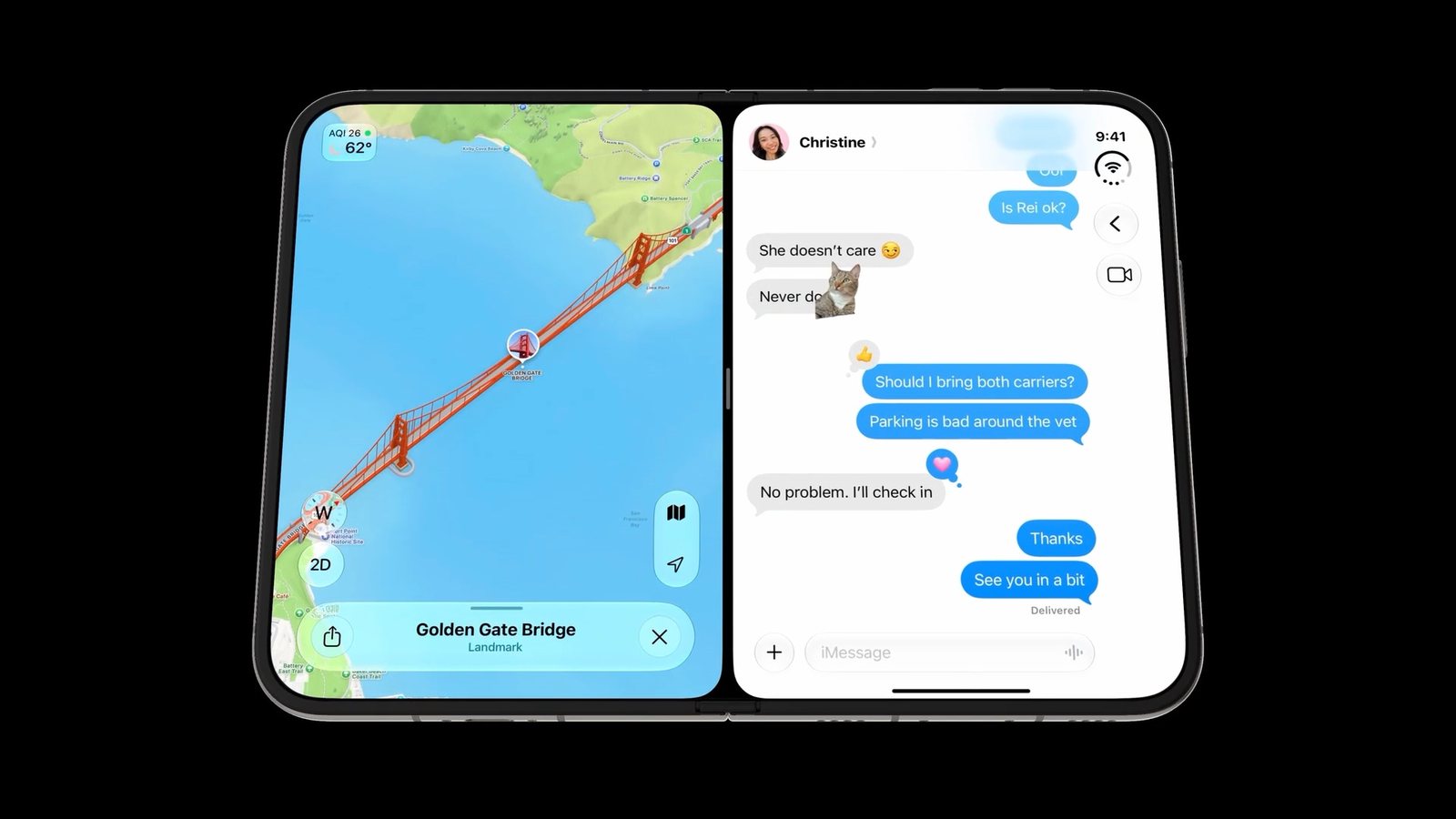
Look up a place while the conversation about it stays open, and drop the place into the chat. Duo feature: two apps or two panes side by side. Created by iOS developer Sarun Wongpatcharapakorn, in his guide to designing for the Duo.
Starter prompt: "A group plans app. Open: a map with the group's saved places on the left pane, the group chat on the right; long-press a place to post it in the chat. Folded: chat with a mini map."
21. Pocket remote desktop
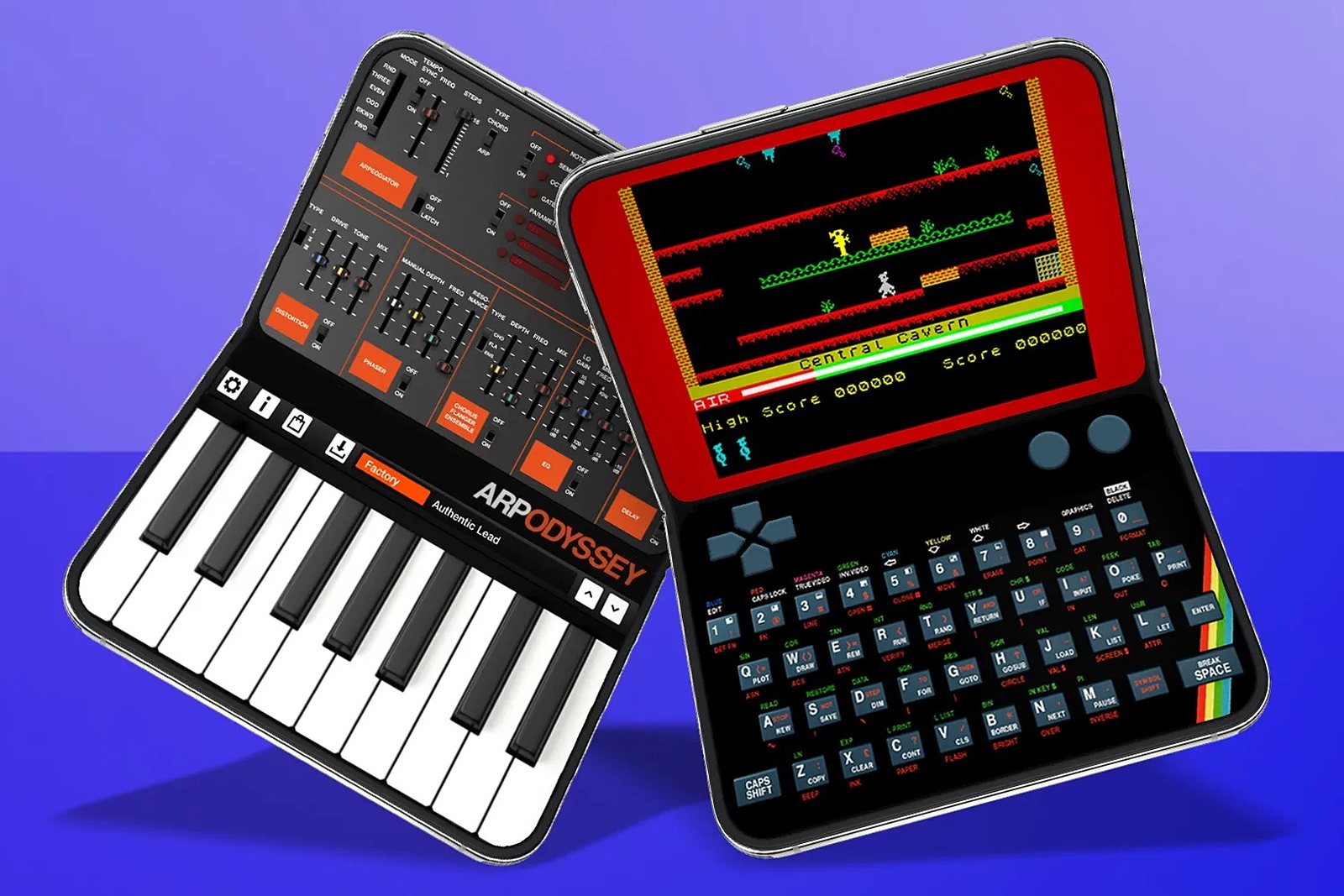
Half-open, the Duo is a tiny laptop: a remote-desktop session or a classic computer emulator on the upper half, a keyboard on the lower half. Duo feature: the half-open pose with a keyboard on the flat half. Created by Craig Grannell, who also wants music apps that use one half as the keyboard.
Starter prompt: "A remote desktop client. Half-open: the remote screen on the top half, a keyboard and trackpad on the bottom half. Fully open: the remote screen fills the display; a Bluetooth keyboard hides the on-screen one."
From one of these ideas to an iPhone Duo app
Each starter prompt above becomes a one-page PRD with one extra line for the Duo, "every screen works in the iPhone layout, the new compact landscape layout and the iPad layout". The AI agent writes a plan you approve, then builds with Xcode 27.1 and tests in the Duo simulator in every pose the PRD names. How to make an iPhone Duo app has the six steps; iPhone Duo design guidelines covers the layout rules; testing an iPhone Duo app in every pose covers the checks. If you already have an app, iPhone Duo apps: what changes lists the updates it needs.
Most of these ideas also work on Android foldables, which have had closed, open and tabletop postures since 2019; Foldy Bird started there. In Modaal, each feature's logic is written once and rendered in SwiftUI on iPhone and Jetpack Compose on Android from one project. The Free plan covers one project with unlimited prompts on one platform; Pro is €9 per user per month billed annually (€15 monthly) and adds both platforms, TestFlight distribution and Git collaboration (/pricing).
All 21 iPhone Duo app ideas, their creators and the Duo feature each one uses
| Idea | Created by | Duo feature it uses | Set |
|---|---|---|---|
| Foldy Bird | Lyra Rebane | Hinge angle as the controller | Games |
| Naval battle game for two Duos | Omar (@NSStudent) | Half-open pose | Games |
| Mini arcade cabinet | Josh Dance | Half-open pose, lower half as controller | Games |
| Retro handheld emulator | Rei Padla, Josh Dance | Inner display, half-open pose | Games |
| Console game, controller on the lower half | Ben Geskin | Half-open pose in landscape | Games |
| Party games, a screen per player | Raina Zab, Rami Hayani | Outer and inner displays | Games |
| Virtual pet habitat | Josh Dance | Two screens at an angle | Games |
| DJ app, one turntable per side | Josh Dance | Two panes | Music |
| DJ deck played by folding | Evan Taylor, Rishi Thakkar, Dakshesh Pasala | Hinge angle as a control | Music |
| Sheet music and piano | Josh Dance | Half-open pose | Music |
| E-book with the map | Josh Dance | Two panes | Reading and learning |
| Comic book reader | Josh Dance | Two-page inner display | Reading and learning |
| Learn to draw | Josh Dance | Two panes, stylus | Reading and learning |
| Two-pane notes | LunbertHe | Two panes | Reading and learning |
| Smile cue for kids | macduke | Outer display facing the subject | Camera and video |
| Video with a live transcript | Kawsar Ahmed | Two panes in landscape | Camera and video |
| Video editor with a transcript panel | Detail | Two panes | Camera and video |
| Finance dashboard | Faizan Rajput | Two panes | Everyday and work |
| Travel planner | Mediamodifier | Two panes | Everyday and work |
| Map and chat side by side | Sarun Wongpatcharapakorn | Two panes or Split View | Everyday and work |
| Pocket remote desktop | Craig Grannell | Half-open pose with a keyboard | Everyday and work |
Ideas published between 9 September and 4 October 2026. Concepts unless the text says the idea was built.
Frequently asked questions
Ideas that use something only the Duo has: two panes side by side (a book and its map, a chart and its transactions, a video and its transcript), the half-open pose (an arcade cabinet, a piano with a music stand), the hinge angle as a control (Foldy Bird, a DJ deck played by folding) or the outer display facing another person (a smile cue for children, party games with a screen per player).
Yes. Before its announcement on 9 September, news reports called the foldable iPhone the iPhone Fold; it launched as the iPhone Duo. The ideas on this page are for that phone.
Yes. From iOS 27.1, apps can read the hinge angle and whether the phone is closed, half-open or open. Foldy Bird uses each unfold as a button press; the Pulse DJ deck uses the angle as a continuous control.
During camera capture, yes: an app can show content on the outer display to the person being photographed or filmed, which is what the smile cue and a teleprompter need. For other uses of the outer display while the phone is open, check what the iOS 27.1 SDK allows before you plan the feature.
Most of them. Android foldables have had closed, open and tabletop postures since 2019, and Foldy Bird started as a web game for them. The two-pane and half-open ideas map directly; hinge-driven ideas need the hinge angle, which Android also exposes.
Turn the starter prompt into a one-page PRD, add the line that every screen works in the iPhone, compact-landscape and iPad layouts, and give it to an AI agent that builds with Xcode 27.1. Approve its plan before it writes code, then test in the Duo simulator in every pose. Our how-to guide has the six steps.
Native iPhone and Android apps. Start free.
One project, two native apps: Swift for iPhone, Kotlin for Android.
Keep reading
- How to make an iPhone Duo app
Six steps from idea to the App Store.
- iPhone Duo design guidelines
Layout rules for the outer and inner displays.
- Test an iPhone Duo app in every pose
The checks before you submit.
- The PRD prompt
Turn a starter prompt into a one-page PRD.