Comparison
Modaal vs Thunkable
Both build iPhone and Android apps from a description. They differ in what you get at the end: Thunkable builds and publishes the app on its platform, without exporting source code; Modaal produces native Swift and Kotlin projects that you own, built by the AI subscription you already have.
The sixty-second answer
Choose Thunkable if you want to build without code, adjust screens in a visual editor, test on your phone with its Live app, and also publish a web version. Thunkable describes itself as “iOS and Android—built by chatting”, with “no coding required.”
Choose Modaal if you want the source code: a standard Xcode project for iPhone and an Android Studio project for Android, in your own Git repository, that any developer or AI agent can keep working on. Modaal has no token meter: the AI runs on your own subscription.
Thunkable can build web apps; Modaal builds native mobile apps only. Modaal is a Mac app; Thunkable runs in the browser.
Side by side
Thunkable from thunkable.com, its pricing page, documentation and community forum; Modaal from modaal.dev/pricing. Read 13 October 2026.
| Modaal | Thunkable | |
|---|---|---|
| What you get | Native SwiftUI app (iPhone, iPad, Apple Watch) and native Jetpack Compose app (Android) as standard projects | An app built and hosted on the Thunkable platform; downloads are app builds |
| How you build | Describe the app; your AI agent builds it from a requirements document and a spec per feature | Chat with the AI builder, or edit in the visual editor |
| Source code | Yours: standard Xcode and Android Studio projects, export any time | Not exported: “we are unable to provide Creators with any source code or export options” (community forum, 2025) |
| How you pay for AI | Your own agent subscription (13 agents supported). No credits or tokens. | AI tokens per plan: 2,000 (Free), 20,000, 50,000, 100,000 |
| Price of the tool | Free for one project and one platform; Pro €9 per month billed annually (€15 monthly) | Free; Accelerator $18–$19; Builder $37 per month billed yearly ($59 monthly); Advanced $99 yearly ($189 monthly) |
| Projects and screens | Free: one active project; Pro: unlimited projects | Free: 3 public projects, 5 screens each; Builder: 10 private projects, 1 live published app |
| App Store | Automated App Store publishing and TestFlight builds from the project (Pro) | Sends your build to the App Store with your Apple developer account and App Store Connect API credentials |
| Google Play | Android Studio project; you upload the build to Google Play | Emails you an AAB file to upload to Google Play |
| Web apps | No | Yes: mobile or responsive web app |
| Where you build and test | Mac app; builds locally with Xcode; iPhone simulator and your own devices | Browser; Thunkable Live app on your phone |
| Team work | Git branches and pull requests; collaborators free on one project (Pro for two or more) | “There can only be one project member in editing mode at any given time.” |
| If you stop paying | The code stays in your repository | Private projects become “read-only” |
Which one fits
| If you | We recommend | Why |
|---|---|---|
| You want to build without seeing code, and tweak screens visually | Thunkable | It has a visual editor next to the AI builder. |
| You need a web version as well as the mobile apps | Thunkable | It publishes mobile and responsive web apps. Modaal builds mobile apps only. |
| You want to own the source code | Modaal | You get standard Xcode and Android Studio projects in your own repository. |
| The app will grow and a developer may join later | Modaal | A developer opens the project in Xcode or Android Studio and continues; specs explain each feature. |
| You build a lot and do not want to count tokens | Modaal | The AI runs on the subscription you already pay for. |
| You do not have a Mac | Thunkable | It runs in a browser. Modaal needs a Mac with Xcode. |
Source code: the main difference
Thunkable’s documentation describes downloading app builds to install or upload, not source code. In Thunkable’s community forum, a 2025 reply says: “unfortunately we are unable to provide Creators with any source code or export options.” The app lives on Thunkable’s platform, and its pricing FAQ says: “If your Thunkable subscription expires, your private project will be set to private "read-only" mode.”
Modaal produces a standard Xcode project for iPhone and an Android Studio project for Android. They sit in your Git repository and you can export them at any time. If you stop using Modaal, you keep the code, and any developer, or any AI agent, can continue from it. Code export vs no-code lock-in lists what else you can lose when you leave a builder.
AI tokens or your own subscription
Thunkable’s plans include a monthly amount of AI tokens: 2,000 on Free, 20,000 on Accelerator, 50,000 on Builder and 100,000 on Advanced.
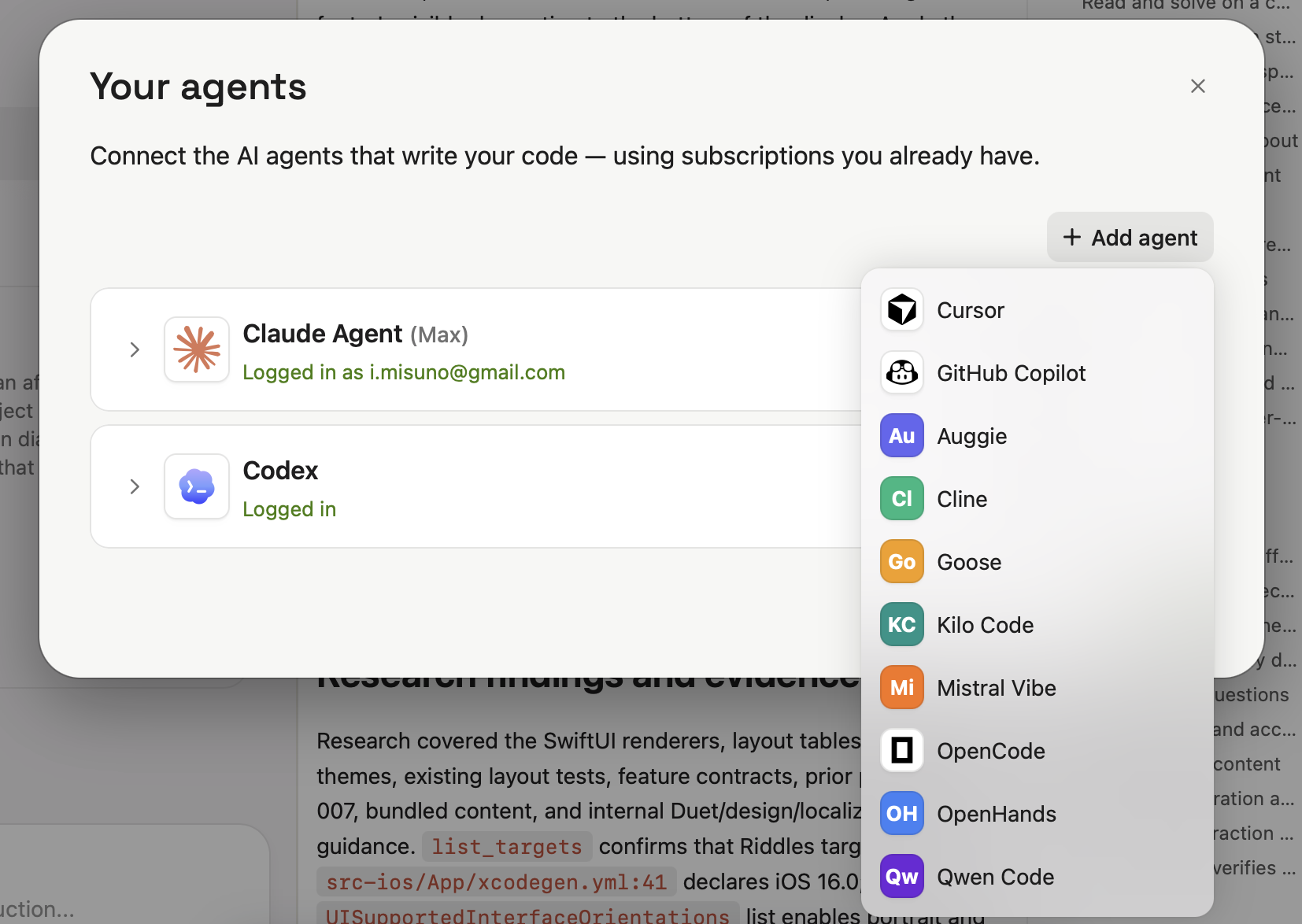
Modaal has no tokens or credits. You connect an agent you already subscribe to, such as Claude, Codex, Cursor or Gemini, and Modaal’s price stays the same however much you build. The Free plan covers one project with unlimited prompts on one platform; Pro is €9 per month billed annually and adds both platforms, TestFlight and automated App Store publishing, and Git collaboration.
Native code on each platform
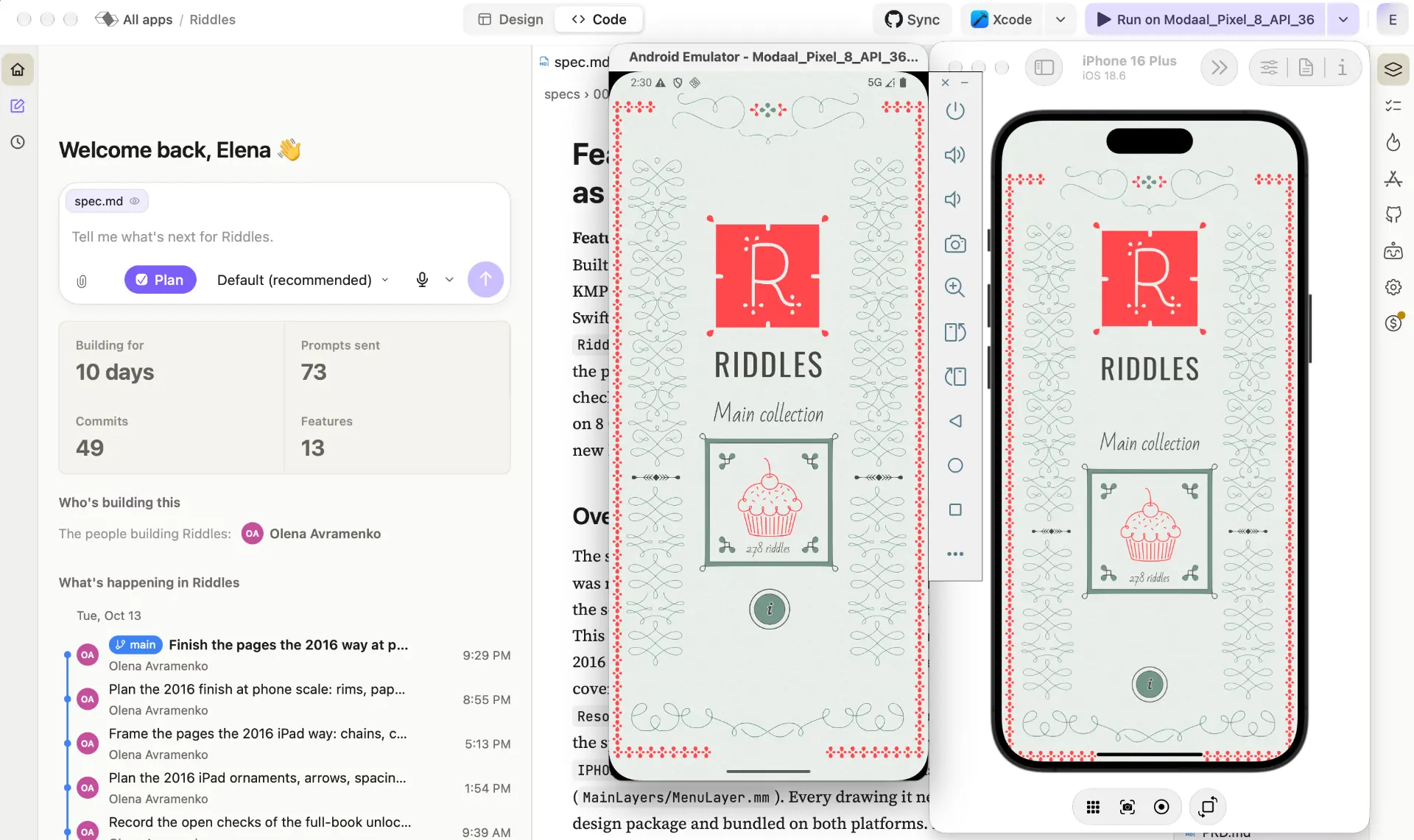
Modaal builds a SwiftUI app for iPhone and a Jetpack Compose app for Android from one project. Each feature’s logic is written once and shared; each platform gets its own native screens, and tests check that the two apps behave the same. Native vs cross-platform app explains what that means inside the app.
Thunkable publishes to both stores from one project too. Its pages do not say what framework the published apps are built with.
Frequently asked questions
Thunkable’s documentation describes downloading app builds, not source code, and a 2025 reply in its community forum says it is unable to provide source code or export options. Modaal produces standard Xcode and Android Studio projects that you can export at any time.
Yes, for native iPhone and Android apps. Both build mobile apps from a description. Modaal gives you the native source code and runs on your own AI subscription; Thunkable adds a visual editor and web publishing.
Thunkable has a Free plan, Accelerator at $18–$19 per month, Builder at $37 per month billed yearly ($59 monthly) and Advanced at $99 per month billed yearly ($189 monthly), each with a monthly allowance of AI tokens. Modaal is free for one project on one platform, and Pro is €9 per month billed annually, with the AI on your own subscription.
Both send iPhone builds to the App Store with your own Apple developer account. For Google Play, Thunkable emails you an AAB file to upload, and with Modaal you upload the Android build yourself.
No. Modaal builds native iPhone, iPad, Apple Watch and Android apps. Thunkable also publishes mobile and responsive web apps.
Related
- 19 AI App Builders Compared: Web, Mobile, Native (2026)19 AI app builders in one table — web, mobile and native — compared by what each actually ships, with pricing from their own pages, dated.
- Rork Alternatives: Native iOS Without Rork MaxRork Max is $200/mo for native iOS. Rork Free is 35 credits and web apps only. Modaal builds a real native Swift app free, unlimited prompts, Pro €9/month.
- Bitrig Alternative: Free, UnmeteredBitrig Free caps you at 10 requests and 15 credits a day. Modaal Free has no prompt cap at all, builds iOS or Android, and Pro is €9/month against their $25.
Native iPhone and Android apps. Start free.
One project, two native apps: Swift for iPhone, Kotlin for Android.