Comparison
Modaal vs Superapp
Both build native Swift apps with AI, give you the code and publish to the App Store for you. They differ in three places: Superapp builds for every Apple platform and runs in a browser as well as on a Mac; Modaal builds iPhone and Android from one project; and Superapp charges in credits, while Modaal runs on the AI subscription you already have.
The sixty-second answer
Choose Superapp if your app is Apple-only, including Mac, and you want to build from a browser as well as a Mac. Superapp describes itself as able to “get an iPhone, iPad, Mac, or Apple Watch app in minutes.”
Choose Modaal if the app needs to be on Google Play as well as the App Store, if you would rather pay a fixed price than buy credits, or if a team reviews the work in specs and pull requests before it ships.
Both publish to the App Store for you: connect your Apple developer account, and the tool prepares and submits the release.
Superapp’s pages do not mention Android. Modaal does not have a web version: it is a Mac app that builds locally with Xcode.
Side by side
Superapp from superapp.dev, its pricing and teams pages; Modaal from modaal.dev/pricing. Read 9 October 2026.
| Modaal | Superapp | |
|---|---|---|
| Platforms | iPhone, iPad and Apple Watch (Swift) and Android (Kotlin), from one project | iPhone, iPad, Mac and Apple Watch |
| Android | Native Jetpack Compose, shared feature logic with the iPhone app | Not mentioned on its pages |
| Where you build | Mac app, builds locally with Xcode | Browser or Mac app |
| How you pay for AI | Your own agent subscription (13 agents supported). No credits. | Monthly credits: Pro $25 for 50, Business $50 for 110, Max $100 for 230; top-ups $18 for 30 |
| Price of the tool | Free for one project and one platform; Pro €9 per month billed annually | Free credits to start in most countries; paid plans from $25 per month |
| App Store publishing | Automated: connect your Apple developer account; Modaal prepares and submits the release. TestFlight builds from the project. | Automated: build, metadata, screenshots and submission prepared for you |
| Code ownership | Standard Xcode and Android Studio projects; export any time | “You fully own the code and can export it anytime.” |
| Backend | Your own backend, for example Firebase or Supabase | Your own Supabase or Superapp Cloud |
| Team features | Collaborators free on one project (Pro for two or more), Git branches and pull requests, edit history through Git; roles coming at the end of 2026 | Unlimited collaborators, owner/editor/viewer roles, edit history, shared credit pool; Teams plan by waitlist |
| How work is planned | Requirements document, a spec per feature and a plan approved before code | Not described on the pages read |
Which one fits
| If you | We recommend | Why |
|---|---|---|
| Apple-only app, including Mac | Superapp | It covers every Apple platform, Mac included. |
| The app has to be on Google Play too | Modaal | One project produces a native Android app next to the iPhone app. |
| You build every day and do not want to count credits | Modaal | The AI runs on the subscription you already pay for; there is no credit meter. |
| You want to build from a browser, without a Mac | Superapp | It has a web version. Modaal needs a Mac with Xcode. |
| A team reviews every feature before it ships | Modaal | Specs and plans are files in the repository, and each feature arrives as a pull request. |
Credits or your own subscription
Superapp’s plans are measured in credits and preview minutes: Pro is $25 a month for 50 credits and 240 preview minutes, Max $100 for 230 credits and 960 minutes, and top-ups cost $18 for 30 credits. A team on the Teams plan shares one credit pool.
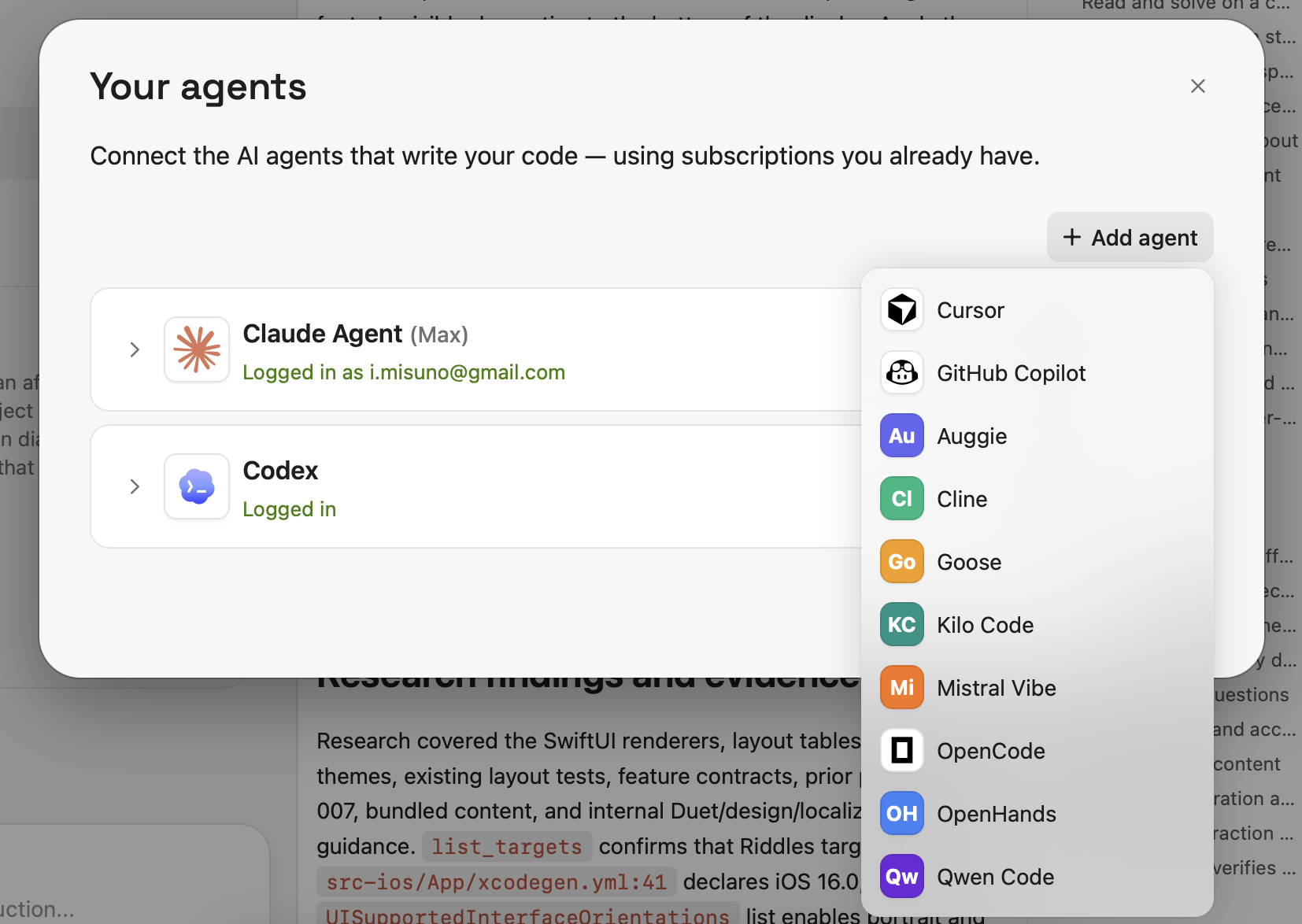
Modaal has no credits. Each builder connects an agent they already subscribe to, such as Claude, Codex, Cursor or Gemini, and Modaal’s plan price stays the same however much they build. A team that already pays for an AI subscription does not pay for AI a second time through credits.
Both platforms
Superapp builds for iPhone, iPad, Mac and Apple Watch. Its pages do not mention Android.
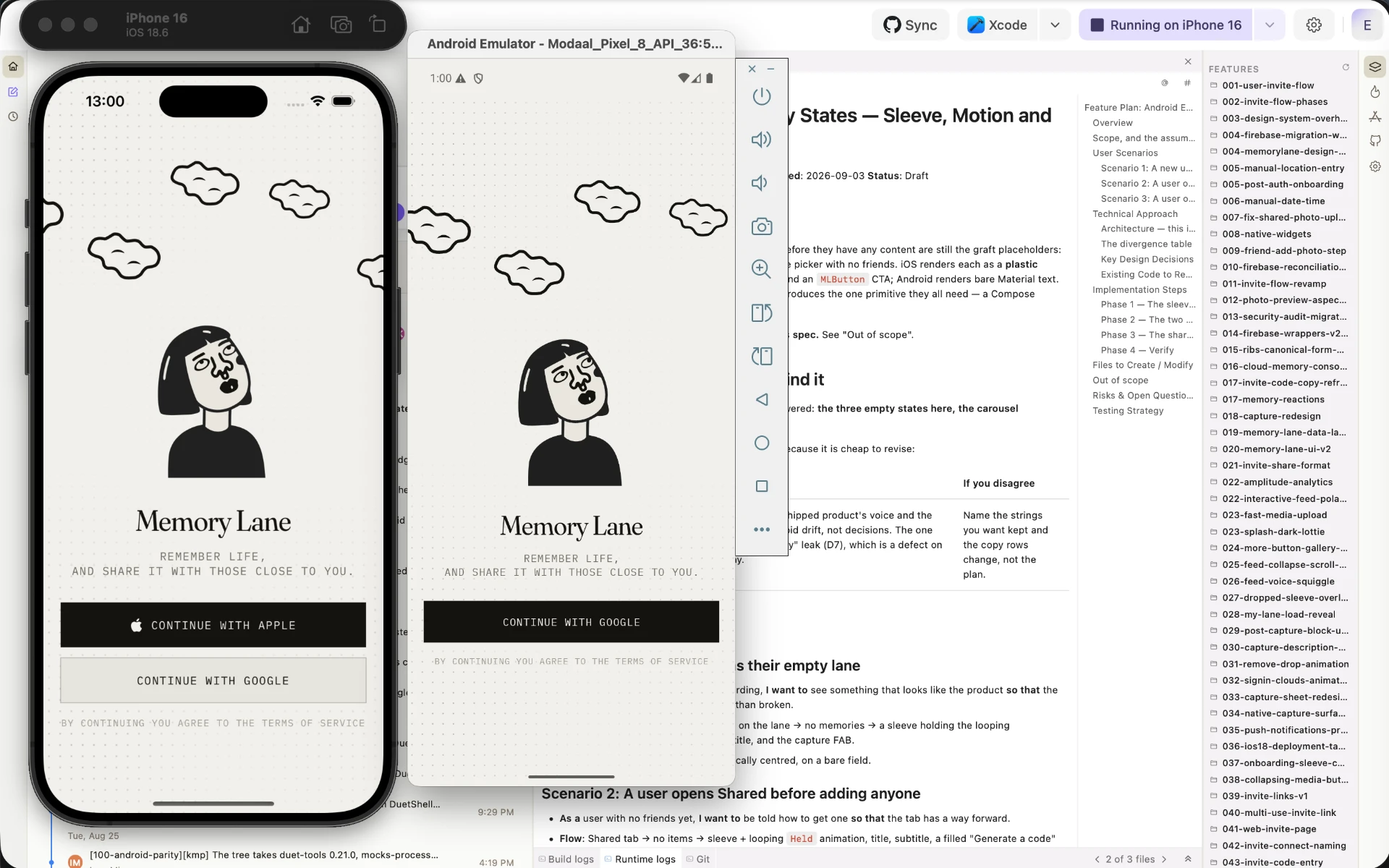
Modaal builds a native SwiftUI app and a native Jetpack Compose app from one project. Each feature’s logic is written once and shared; each platform gets its own native screens, and the build checks that the two apps behave the same. For a team that has to launch on both stores, this is the main reason to choose Modaal. Modaal for Teams shows how a team works in it.
Frequently asked questions
Its website and pricing page, read 9 October 2026, describe iPhone, iPad, Mac and Apple Watch apps and do not mention Android. Modaal builds native Android apps in Kotlin and Jetpack Compose, from the same project as the iPhone app.
They charge differently. Superapp sells plans with monthly credits, from $25 for 50 credits. Modaal charges a plan price, €9 per month billed annually for Pro, and the AI runs on your own subscription, with no credits.
Yes. Superapp says you fully own the code and can export it anytime. Modaal produces standard Xcode and Android Studio projects that you can export at any time.
Yes. Both have automated App Store publishing: you connect your Apple developer account and the tool prepares and submits the release. The app is published under your own account.
Both have collaborators and edit history. Superapp has unlimited collaborators, owner, editor and viewer roles and a shared credit pool; its Teams plan is by waitlist. In Modaal, collaborators join free on one project and need Pro for two or more; it adds Git branches and pull requests, specs the whole team reviews, and both platforms in one project; roles are coming at the end of 2026.
Related
- 19 AI App Builders Compared: Web, Mobile, Native (2026)19 AI app builders in one table — web, mobile and native — compared by what each actually ships, with pricing from their own pages, dated.
- Rork Alternatives: Native iOS Without Rork MaxRork Max is $200/mo for native iOS. Rork Free is 35 credits and web apps only. Modaal builds a real native Swift app free, unlimited prompts, Pro €9/month.
- Bitrig Alternative: Free, UnmeteredBitrig Free caps you at 10 requests and 15 credits a day. Modaal Free has no prompt cap at all, builds iOS or Android, and Pro is €9/month against their $25.
Native iPhone and Android apps. Start free.
One project, two native apps: Swift for iPhone, Kotlin for Android.